Signal Attributes
R2026bBlocks for converting data types, units, and other signal properties, such
as Data Type Conversion, Rate Transition, and Signal Specification
Use blocks from the Signal Attributes library to modify the properties of signals as they pass through your model. You can convert data types, change engineering units, set initial values, specify signal dimensions, or control sample times.
To add blocks from this library to your model, see Add Blocks to Models.
Blocks
 | Bus to Vector | Convert virtual bus to vector |
 | Data Type Conversion | Convert input signal to specified data type |
 | Data Type Conversion Inherited | Convert from one data type to another using inherited data type and scaling |
 | Data Type Duplicate | Force all inputs to same data type |
 | Data Type Propagation | Set data type and scaling of propagated signal based on information from reference signals |
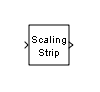 | Data Type Scaling Strip | Remove scaling and map to built in integer |
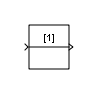 | IC | Set initial value of signal |
 | Probe | Output signal attributes, including width, dimensionality, sample time, and complex signal flag |
 | Rate Transition | Handle transfer of data between blocks operating at different rates |
 | Signal Conversion | Convert signal to new type without altering signal values |
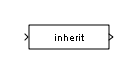 | Signal Specification | Specify desired dimensions, sample time, data type, numeric type, and other attributes of signal |
 | Unit Conversion | Convert units |
 | Weighted Sample Time | Support calculations involving sample time |
 | Width | Output width of input vector |
Tools
| Library Browser | Find and add blocks to model |
Topics
- Add Blocks to Models
Use the Library Browser and quick insert menu to insert blocks.

