Projects
R2026bProjects help you organize your work and collaborate. Use projects to find files required to run your code, manage and share files and settings, and interact with source control. For more information about projects, see Create Projects.
For more information on using projects as part of your software development process, see Develop and Share Software in MATLAB.
Functions
Tools
| Dependency Analyzer | Visualize dependencies, find required files, and assess the impact of changes (Since R2023a) |
Objects
Topics
- Create Projects
Create projects in MATLAB® to organize and share your work with others.
- Manage Project Files
Add, move, rename, label, group, and find project files and folders.
- Develop and Share Software in MATLAB
Create a project, manage source control, build a package, and publish it to File Exchange.
- Analyze Project Dependencies
Find required files for a whole project or for specified files, resolve problems, and control options for add-ons and incremental analysis.
- Release and Manage Package Dependencies and Versioning Using Projects
MATLAB Projects provide a structured environment for developing, managing dependencies, and sharing MATLAB code, Simulink® models, tests and requirements, data, apps, examples, and documentation.
- Compare MATLAB Projects
You can compare project definition files.
- Componentize Large Projects
Organize large projects using referenced projects.
- Share Projects
Package and share projects as zip files, by email, as a toolbox, or by making it publicly available on a connected source control tool.
- Reduce Test Runtime on CI Servers
Set up your project for CI in Jenkins® and reduce test suite runtime using dependency cache and impact analysis.
Related Information
Featured Examples
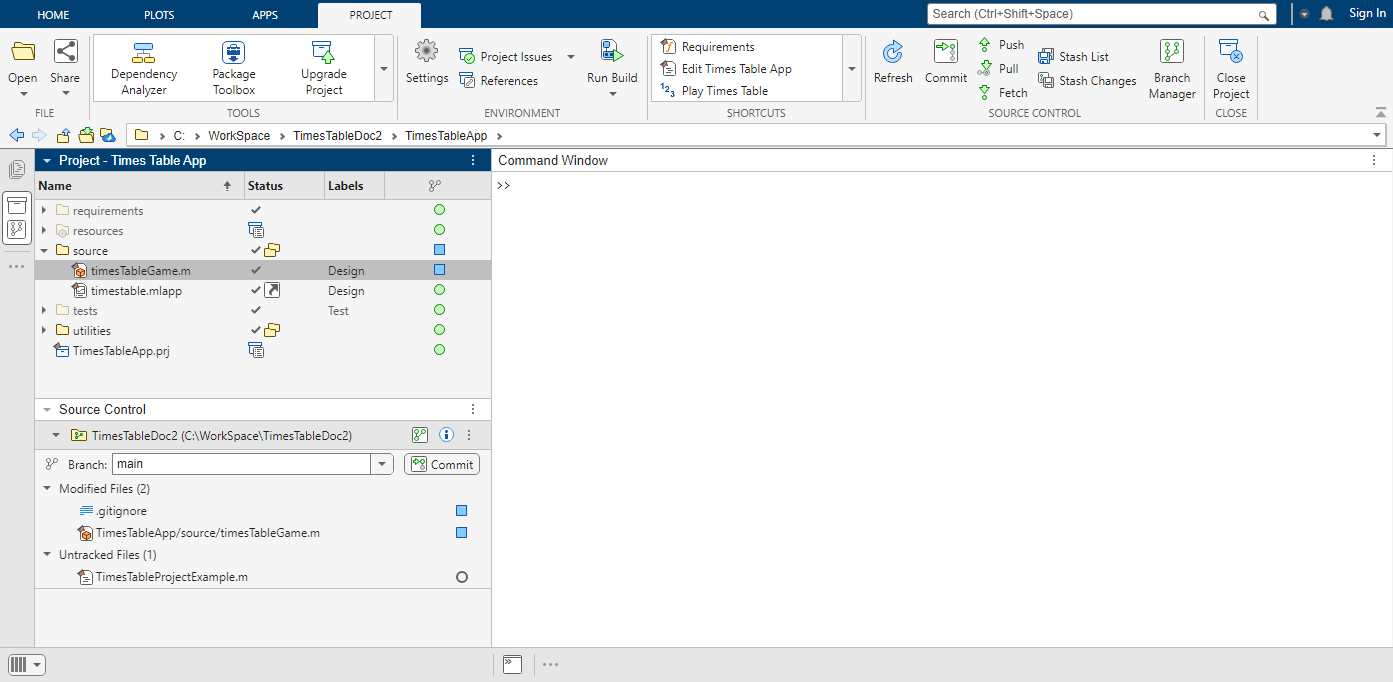
Explore an Example Project
Explore how project tools can help you organize your work using the
TimesTableApp.
Teaching Resources
Programming: Structuring Code
Learn how to write and document functions, and how to debug, comment on, and share your code.

