Sources and Sinks
R2026bGenerate signal source data and noise to simulate communication links. Visualize and analyze the performance of your communications system simulation.
To process captured signals, Communications Toolbox™ supports binary baseband signal and NI™ technical data management solution (TDMS) format files. You can read data into tables or timetables by reading TDMS files individually, or by reading collections of TDMS files simultaneously.
Apps
| Wireless Waveform Generator | Create, impair, visualize, and export modulated waveforms |
Functions
Objects
Blocks
 | Barker Code Generator | Generate bipolar Barker Code |
 | Bernoulli Binary Generator | Generate Bernoulli-distributed random binary numbers |
 | Gold Sequence Generator | Generate Gold sequence from set of sequences |
 | Hadamard Code Generator | Generate Hadamard code from orthogonal set of codes |
 | Kasami Sequence Generator | Generate Kasami sequence from set of Kasami sequences |
 | OVSF Code Generator | Generate OVSF code |
 | PN Sequence Generator | Generate pseudonoise sequence |
 | Poisson Integer Generator | Generate Poisson-distributed random integers |
 | Random Integer Generator | Generate integers randomly distributed in specified range |
 | Walsh Code Generator | Generate Walsh code from orthogonal set of codes |
 | Constellation Diagram | Display and analyze input signals in IQ-plane |
 | Eye Diagram | Display eye diagram of time-domain signal (Since R2023b) |
 | Baseband File Writer | Write baseband signals to file |
 | Baseband File Reader | Read baseband signals from file |
Topics
- Signal Terminology
Learn about terms related to matrices, vectors, and scalars, as well as frame-based and sample-based processing.
- Sources
Use random and nonrandom sources in communications systems.
- Sinks
Use sinks and display devices to analyze communications system performance.
- Spreading Sequences
Compare spreading sequences for single and multiuser scenarios in single path and multipath environments.
- Create Waveforms Using Wireless Waveform Generator App
Create, impair, visualize, and export modulated waveforms.
- Export Data to MATLAB
Send simulation results to the MATLAB workspace and use MATLAB to analyze the data.
Related Information
Featured Examples
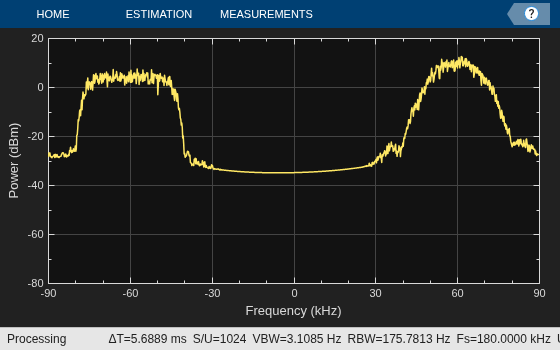
Multiband Signal Generation
Generate a wireless multiband signal efficiently.
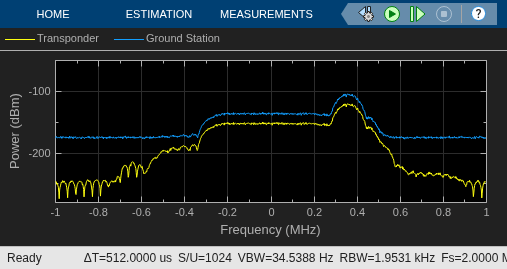
Interference Modeling
Interference modeling in a bent pipe satellite communications link.

