Add AUC to SimBiology Model
IS there a quick and easy way to calculate AUC in SimBiology without exporting results to an NCA analysis>?
6 Comments
Time Descending
Hi Andrew,
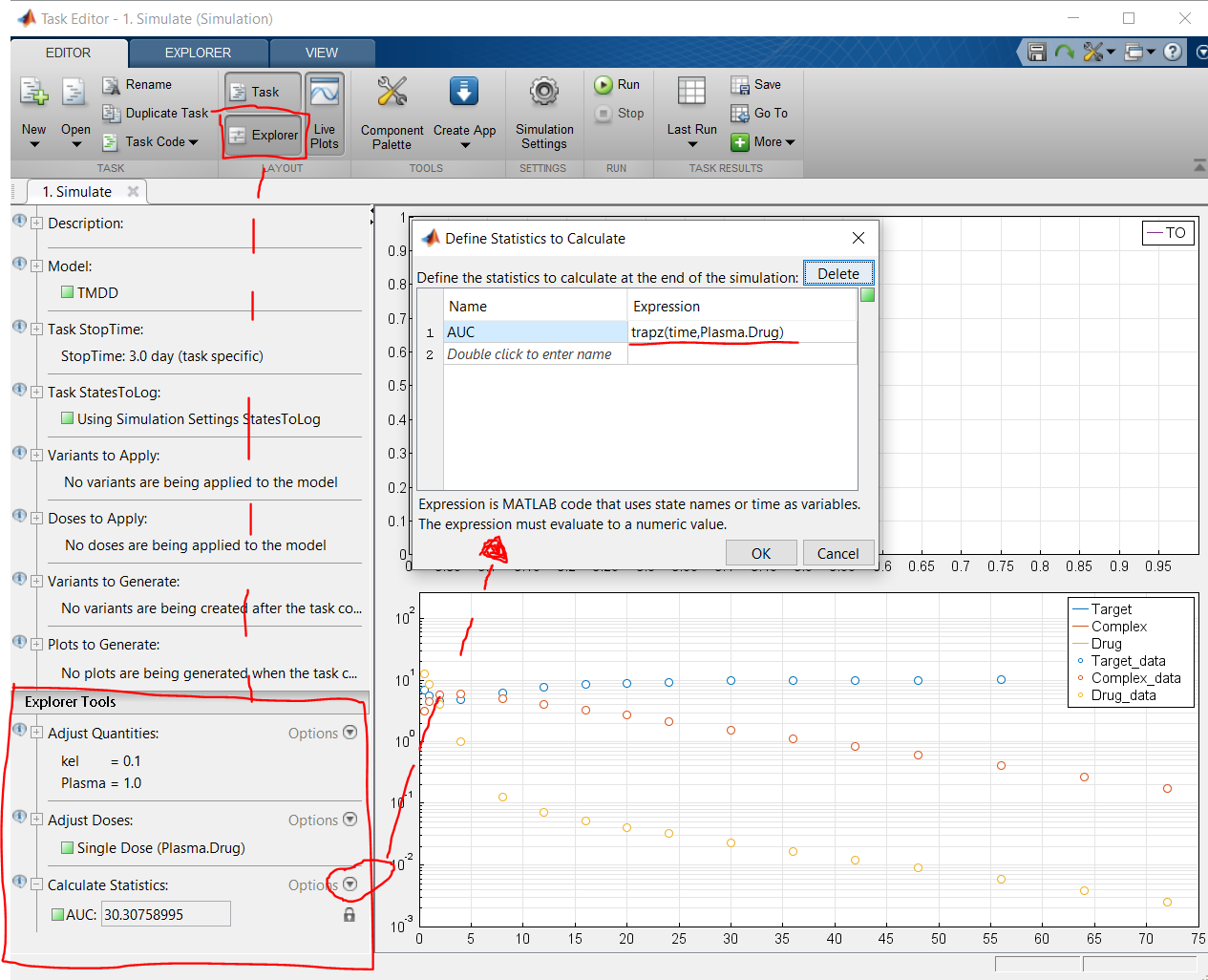
Yes there is. If you are doing your analyses in the task editor, you can calculate statistics in the 'explorer' part of the task editor by using the trapz function, see screenshot. If you using SimBiology programmatically (script/command line) and are using the simulation data from sbiosimulate or a simfunction, you can use a command like the one below to calculate the AUC from a SimData object.
AUC = trapz(simData.Time,simData.Data(:,1)); % for the AUC of the first logged state in your model
If you post a question next time, do you mind posting it in the Answers section, rather than the Discussion section? Let me know whether this answered your question. Best, Sietse

Hi, Sietse,
I want to join in this discussion :). I hope to calculate AUC, Cmax, Tmax in a single simulation as the simulation runs. I find I don't have Explore tools in my SimBiology APP but only one Explore panel like attached figure. When I move the bar of added paramter Central.Drug, something like simulation runs but plot nothing. Is this the Explore tools that you mean? And is there any way to calculate AUC, Cmax, Tmax without exporting simulated data to MATLAB and re-inport it to NCA?

This is my attached figure.
Hi Wei,
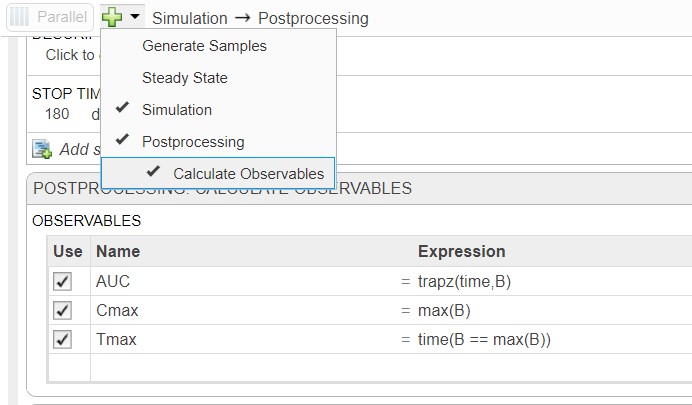
In the new app, you will want to create an extra step in your program called "calculate statistics" (in R2019b) or "calculate observables" (R2020a and later). From there you can use the following code to calculate the AUC, Cmax and Tmax, where "Drug" is the name of your concentration of interest:
- AUC = trapz(time,Drug)
- Cmax = max(Drug)
- Tmax = time(Drug == max(Drug))
See the screenshot below. Let me know if that works.
Hi, Sietse,
Yes, that's really work. Thanks for your help.
Best regards, Wang Wei

Perfect. Thanks. And sorry for putting this in the wrong spot.