How to get rid of angles in MATLAB world map?
3 views (last 30 days)
Show older comments
Muhammad Anas Imtiaz
on 19 Nov 2018
Commented: Mark Sherstan
on 19 Nov 2018
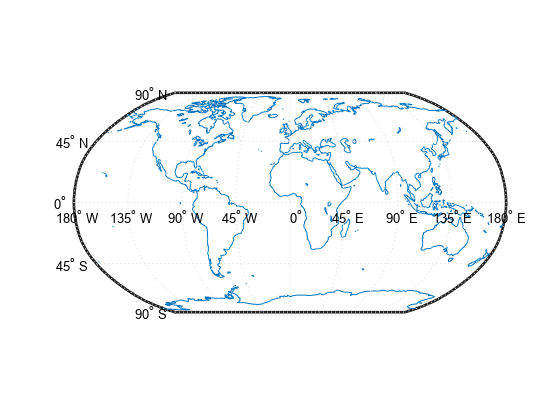
Suppose I have the map below (taken from here). Is there a way to get rid of the all the text (i.e 90N, 45N, ..., 180W, 135W, ...) from the map? I have tried going through the documentation on the webpage but couldn't find any useful information.

0 Comments
Accepted Answer
Mark Sherstan
on 19 Nov 2018
Access the figure handle and set the angle labels to be a blank string. This code will do it for you:
close all
h = worldmap('world');
load coastlines
plotm(coastlat,coastlon)
for ii = 1:14
h.Children(ii).String = '';
end
There may be other more effcient methods but this is a quick fix for now.

2 Comments
More Answers (0)
See Also
Categories
Find more on Geographic Coordinate Reference Systems in Help Center and File Exchange
Community Treasure Hunt
Find the treasures in MATLAB Central and discover how the community can help you!
Start Hunting!