Why does imshow display different image when I try to show a CT image?
Show older comments
Hi,
I want to show an original abdominal CT (Computed Tomography) image (which is uint16 bit ) with these codes;
im = imread('Slice_87.png');
imshow(im);
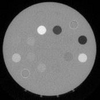
The original image and the figure shown by the above command are different.
For instance, the figure shown by the above command has a grayscale background. However, the background in the original image seems as black when I open it with ImageJ or paint.
Why are they different?.
How can I show the CT image as it is seen by ImageJ or paint?
Answers (1)

KALYAN ACHARJYA
on 13 May 2023
Can you try this way-
[img,map] = imread('Slice_87.png');
imshow(img,map);
9 Comments
KALYAN ACHARJYA
on 13 May 2023
Can you please attach the sample image file?

If you're trying to apply the mask to the image, then the mask must be unit-scale. Unless the mask is binarized, it must also be floating-point. If it is required that the mask is floating point, then the image must also be floating point.
All throughout these conversions between classes, you either rescale your data according to the class, or you need to keep track of your data scale and make sure that it doesn't cause problems (e.g. truncation). If you're using uint8(), you aren't rescaling anything, and it's not possible for me to infer what the actual data scaling is, so chances are your data scaling is inappropriate and it's resulting in severe truncation.
inpict = imread('cameraman.tif'); % uint8-scale uint8
mask = imread('cmantifmk.png'); % uint8-scale uint8
% multiply two uint8-scale images
% nothing left but the mask due to severe truncation
outpict1 = mask.*inpict;
imshow(outpict1)

% multiply a unit-scale uint8 mask with a uint8-scale image
% works, but will break if mask or inpict aren't uint8
% also won't work if mask is not binarized
outpict1 = mask/255.*inpict;
imshow(outpict1)

% multiply two unit-scale float images
% that works regardless of input class
% works for binarized masks and graduated masks
outpict3 = im2double(mask).*im2double(inpict);
outpict3 = im2uint8(outpict3); % cast _and rescale_
imshow(outpict3)


S C.Carl
on 14 May 2023
Moved: KALYAN ACHARJYA
on 14 May 2023
KALYAN ACHARJYA
on 14 May 2023
Edited: KALYAN ACHARJYA
on 14 May 2023
Once I checked, it seems fine, where did you get the binary image from, as you mentioned.


Following DGM comments should work.
The issue may be due to the fact that the range of pixel value is too large when using function imshow.
By limiting the range to the pixel values within the mask, you should be able to get a btter image.
I=imread('https://www.mathworks.com/matlabcentral/answers/uploaded_files/1382669/wholeCTgray_87.png');
mask = imread('https://www.mathworks.com/matlabcentral/answers/uploaded_files/1382664/MASK_87.png');
outpict3 = im2double(mask).*im2double(I);
outpict3 = im2uint16(outpict3); % Your original image is uint16
[minValue,maxValue] = bounds(outpict3(outpict3~=0));
imshow(outpict3,[minValue,maxValue])

S C.Carl
on 14 May 2023
Simon Chan
on 14 May 2023
One possible way is use function getframe as follows:
I=imread('https://www.mathworks.com/matlabcentral/answers/uploaded_files/1382669/wholeCTgray_87.png');
mask = imread('https://www.mathworks.com/matlabcentral/answers/uploaded_files/1382664/MASK_87.png');
outpict3 = im2double(mask).*im2double(I);
outpict3 = im2uint16(outpict3); % Your original image is uint16
[minValue,maxValue] = bounds(outpict3(outpict3~=0));
imshow(outpict3,[minValue,maxValue]);
F = getframe(gca);
imwrite(F.cdata,'ScreenCapture.png');

Use mat2gray() to do the normalization instead of relying on figure capture and all the problems that causes.
I=imread('https://www.mathworks.com/matlabcentral/answers/uploaded_files/1382669/wholeCTgray_87.png');
mask = imread('https://www.mathworks.com/matlabcentral/answers/uploaded_files/1382664/MASK_87.png');
outpict3 = im2double(mask).*im2double(I); % multiply
[minValue,maxValue] = bounds(outpict3(outpict3~=0)); % get data range
outpict3 = mat2gray(outpict3,[minValue,maxValue]); % normalize to extrema
outpict3 = im2uint16(outpict3); % Your original image is uint16
imshow(outpict3); % now it's scaled as expected

imwrite(outpict3,'ScreenCapture.png');
Categories
Find more on Image Processing Toolbox in Help Center and File Exchange
Community Treasure Hunt
Find the treasures in MATLAB Central and discover how the community can help you!
Start Hunting!
