Main Content

getTransform

R2026b

Get transform between body frames

Description

transform = getTransform(robot,configuration) computes the transform for every frame in the rigid body tree with respect to the robot base frame, using the specified robot configuration configuration.

transform = getTransform(robot,configuration,bodyname) computes the transform that converts points in the bodyname frame to the robot base frame, using the specified robot configuration.

transform = getTransform(robot,configuration,framename) computes the transform that converts points in the framename frame to the robot base frame, using the specified robot configuration.

transform = getTransform(robot,configuration,sourcebody,targetbody) computes the transform that converts points from the source body frame to the target body frame, using the specified robot configuration.

example

transform = getTransform(robot,configuration,sourceframe,targetframe) computes the transform that converts points in the source frame to the target frame, using the specified robot configuration.

Examples

collapse all

Get the transform between two frames for a specific robot configuration.

Load a Yaskawa Motoman MH-5 manipulator from the Robotics System Toolbox™ loadrobot.

motoman = loadrobot("yaskawaMotomanMH5");
showdetails(motoman)
--------------------
Robot: (6 bodies)

 Idx     Body Name     Joint Name     Joint Type     Parent Name(Idx)   Children Name(s)
 ---     ---------     ----------     ----------     ----------------   ----------------
   1        link_s        joint_s       revolute         base_link(0)   link_l(2)  
   2        link_l        joint_l       revolute            link_s(1)   link_u(3)  
   3        link_u        joint_u       revolute            link_l(2)   link_r(4)  
   4        link_r        joint_r       revolute            link_u(3)   link_b(5)  
   5        link_b        joint_b       revolute            link_r(4)   link_t(6)  
   6        link_t        joint_t       revolute            link_b(5)   
--------------------

Get the transform between the "link_l" and "link_t" bodies of the motoman robot given a specific configuration. The transform converts points in "link_l" frame to the "link_t" frame.

q = randomConfiguration(motoman);
show(motoman,q);
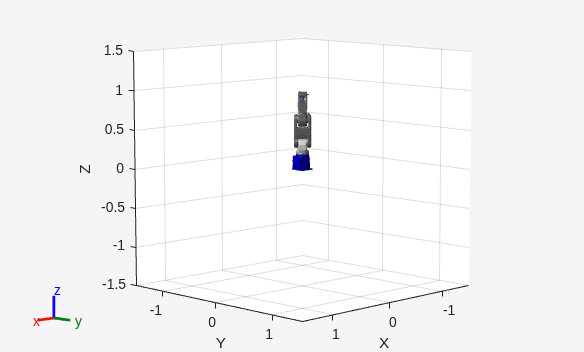
Figure contains an axes object. The axes object with xlabel X, ylabel Y contains 20 objects of type patch, line.

transform = getTransform(motoman,q,"link_l","link_t")
transform = 4×4

    0.7787    0.0961   -0.6199    0.3115
    0.5256    0.4396    0.7283   -0.4624
    0.3425   -0.8930    0.2918   -0.1886
         0         0         0    1.0000

Input Arguments

collapse all

Robot model, specified as a rigidBodyTree object.

Robot configuration, specified as a structure array with joint names and positions for all the bodies in the robot model. You can generate a configuration using homeConfiguration(robot), randomConfiguration(robot), or by specifying your own joint names and positions in a structure array.

Body name, specified as a string scalar or character vector. This body must be on the robot model specified in robot.

Data Types: char | string

Frame name, specified as a string scalar or character vector. This frame must be on the robot model specified in robot.

Data Types: char | string

Target body name, specified as a character vector. This body must be on the robot model specified in robot. The target frame is the coordinate system you want to transform points into.

Data Types: char | string

Source body name, specified as a string scalar or character vector. This body must be on the robot model specified in robot. The source frame is the coordinate system you want points transformed from.

Data Types: char | string

Target frame name, specified as a character vector. This frame must be on the robot model specified in robot. The target frame is the coordinate system you want to transform points into.

Data Types: char | string

Source frame name, specified as a string scalar or character vector. This frame must be on the robot model specified in robot. The source frame is the coordinate system you want points transformed from.

Data Types: char | string

Output Arguments

collapse all

Homogeneous transform, returned as a 4-by-4 matrix.

Extended Capabilities

expand all

Version History

Introduced in R2016b

expand all