intensityFeatures
R2026bDescription
Examples
Load an X-ray image into the workspace as a medicalImage object. Visualize the image.
data = medicalImage("forearmXrayImage1.dcm");
I = data.Pixels;
figure
imshow(I,[])
Draw two regions of interest (ROI) in the X-ray image. Create masks from the ROIs.
roi1 = drawassisted(Color="g");
roi2 = drawassisted(Color="r");
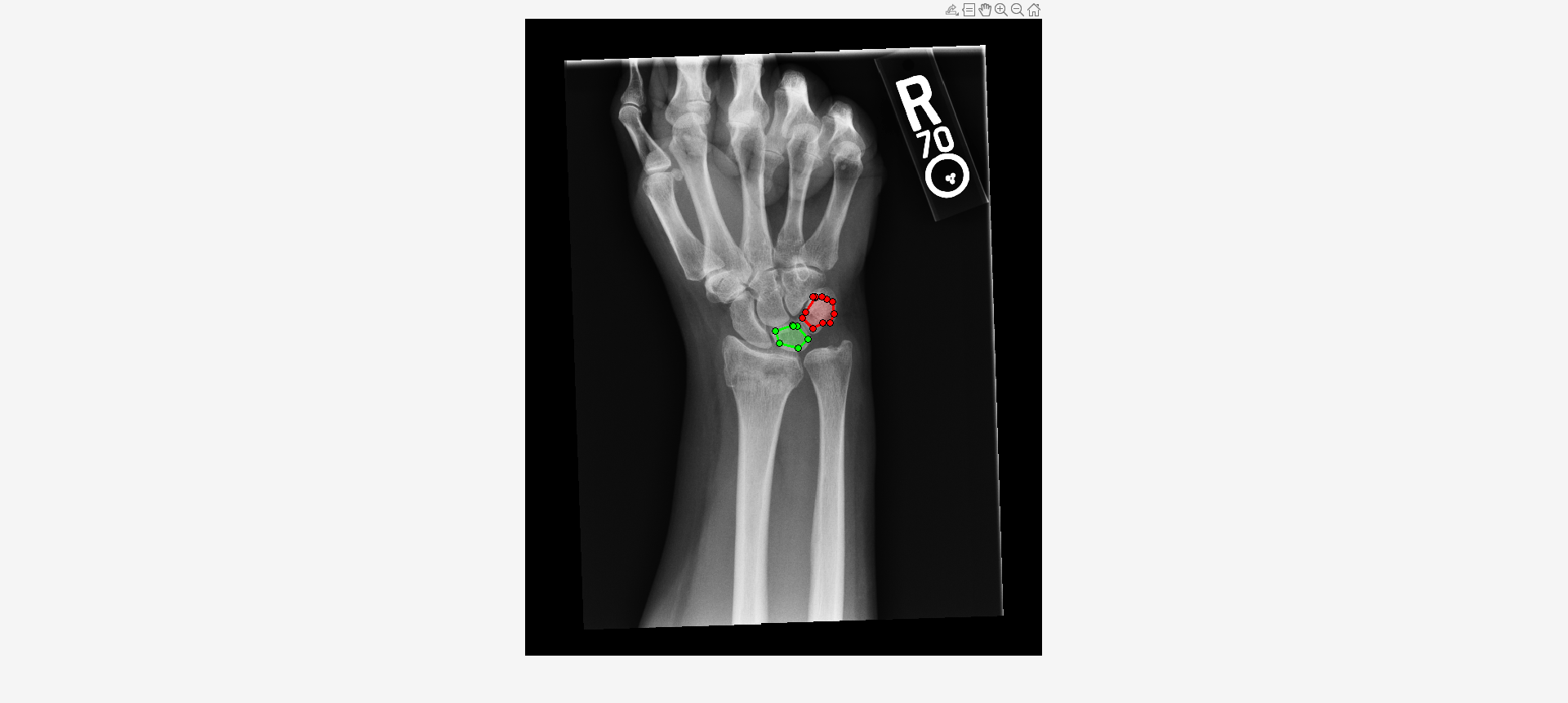
mask1 = createMask(roi1,I);
mask2 = createMask(roi2,I);
Create an ROI label matrix, using different labels for the two ROIs. Create a medicalImage object of the ROI label data.
mask = zeros(size(I));
mask(mask1) = 1;
mask(mask2) = 2;
info = dicominfo("forearmXrayImage1.dcm");
roi = medicalImage(mask,info);
Create a radiomics object from the X-ray image data and ROI label data.
R = radiomics(data,roi)
R =
  radiomics with properties:

                             Data: [1×1 medicalImage]
                         ROILabel: [1×1 medicalImage]
                         Resample: 0
                        Resegment: 1
                       Discretize: 1
                    DiscretizeIVH: 1
            ResampledVoxelSpacing: []
               DataResampleMethod: []
               MaskResampleMethod: []
              ResegmentationRange: []
                  ExcludeOutliers: 1
       DiscreteBinSizeOrBinNumber: []
                   DiscreteMethod: 'FixedBinNumber'
    DiscreteIVHBinSizeOrBinNumber: []
                DiscreteIVHMethod: 'FixedBinNumber'
Compute intensity features for both ROIs.
I = intensityFeatures(R)
I = 2×50 table
    "1"    2.3092e+03    2.4966e+03    2.3144e+03    6.9224e+04     0.9158     0.3904    2250    1744    2036    2715    3310    332    1566    208.8567    143.3701    201.9787    0.1137    0.0724    1.5284e+10    2.3293e+03    57.6709      696.6411     0.9149     0.3903     51    1    30     98    157
    "2"    2.3496e+03    2.3553e+03    2.4385e+03    1.3586e+05    -0.7283    -0.0536    2500    1374    1933    2847    3145    534    1771    301.5276    217.8525    298.1146    0.1512    0.1082    2.3464e+10    2.4662e+03    94.8709    1.0675e+03    -0.7300    -0.0498    100    1    50    131    157
Import a computed tomography (CT) image volume and the corresponding ROI mask volume from the IBSI validation data set [1][2][3] as medicalVolume objects.
unzip("CTImageMaskNIfTI.zip")
data = medicalVolume("CT_image.nii.gz");
roi = medicalVolume("CT_mask.nii.gz");
Visualize a slice of the CT image volume and the corresponding ROI.
figure
imshowpair(data.Voxels(:,:,20),roi.Voxels(:,:,20),"montage")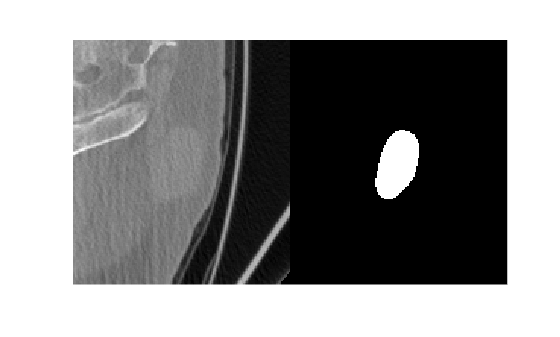
Create a radiomics object, using the CT image volume and ROI mask volume, with default preprocessing options.
R = radiomics(data,roi)
R =
  radiomics with properties:

                             Data: [1×1 medicalVolume]
                         ROILabel: [1×1 medicalVolume]
                         Resample: 1
                        Resegment: 1
                       Discretize: 1
                    DiscretizeIVH: 1
            ResampledVoxelSpacing: 1
               DataResampleMethod: 'linear'
               MaskResampleMethod: 'linear'
              ResegmentationRange: []
                  ExcludeOutliers: 1
       DiscreteBinSizeOrBinNumber: []
                   DiscreteMethod: 'FixedBinNumber'
    DiscreteIVHBinSizeOrBinNumber: []
                DiscreteIVHMethod: 'FixedBinNumber'
Compute the local intensity features of the ROI in the 2-D resampled CT image volume.
I = intensityFeatures(R,Type=["LocalIntensity","IntensityHistogram"],SubType="2D")
I = 1×26 table
    LabelID    LocalIntensityPeak2D    GlobalIntensityPeak2D    MeanDiscretisedIntensity2D    DiscretisedIntensityVariance2D    DiscretisedIntensitySkewness2D    DiscretisedIntensityKurtosis2D    MedianDiscretisedIntensity2D    MinimumDiscretisedIntensity2D    TenthDiscretisedIntensityPercentile2D    NinetiethDiscretisedIntensityPercentile2D    MaximumDiscretisedIntensity2D    IntensityHistogramMode2D    DiscretisedIntensityInterquartileRange2D    DiscretisedIntensityRange2D    IntensityHistogramMeanAbsoluteDeviation2D    IntensityHistogramRobustMeanAbsoluteDeviation2D    IntensityHistogramMedianAbsoluteDeviation2D    IntensityHistogramCoeffcientOfVariation2D    IntensityHistogramQuartileCoeffcientOfDispersion2D    DiscretisedIntensityEntropy2D    DiscretisedIntensityUniformity2D    MaximumHistogramGradient2D    MaximumHistogramGradientIntensity2D    MinimumHistogramGradient2D    MinimumHistogramGradientIntensity2D
    _______    ____________________    _____________________    __________________________    ______________________________    ______________________________    ______________________________    ____________________________    _____________________________    _____________________________________    _________________________________________    _____________________________    ________________________    ________________________________________    ___________________________    _________________________________________    _______________________________________________    ___________________________________________    _________________________________________    __________________________________________________    _____________________________    ________________________________    __________________________    ___________________________________    __________________________    ___________________________________

      "1"             71.689                  78.084                      10.488                          10.846                            -0.069                           -0.1125                             11                               1                                    6                                         15                                     20                             10                                  5                                    19                                  2.6421                                          2.0664                                            2.639                                        0.31401                                           0.2381                                      3.761                            0.085523                          351.5                                7                                -344                               13
[1] Vallières, Martin, Carolyn R. Freeman, Sonia R. Skamene, and Issam El Naqa. “A Radiomics Model from Joint FDG-PET and MRI Texture Features for the Prediction of Lung Metastases in Soft-Tissue Sarcomas of the Extremities.” The Cancer Imaging Archive, 2015. https://doi.org/10.7937/K9/TCIA.2015.7GO2GSKS.
[2] Vallières, M, C R Freeman, S R Skamene, and I El Naqa. “A Radiomics Model from Joint FDG-PET and MRI Texture Features for the Prediction of Lung Metastases in Soft-Tissue Sarcomas of the Extremities.” Physics in Medicine and Biology 60, no. 14 (July 7, 2015): 5471–96. https://doi.org/10.1088/0031-9155/60/14/5471.
[3] Clark, Kenneth, Bruce Vendt, Kirk Smith, John Freymann, Justin Kirby, Paul Koppel, Stephen Moore, et al. “The Cancer Imaging Archive (TCIA): Maintaining and Operating a Public Information Repository.” Journal of Digital Imaging 26, no. 6 (December 2013): 1045–57. https://doi.org/10.1007/s10278-013-9622-7.

