SinCos Embedded Optimized
R2026bSinCos Embedded Optimized block
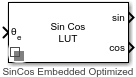
To add a block to a model, double-click the canvas and start typing the block name. Then, select the block from the list.
Libraries:
Motor Control Blockset /
Math Transforms
Description
The SinCos Embedded Optimized block implements sine and cosine functions using the specified position or phase input signal, based on the selected approximation method. The block also allows you to implement sine and cosine functions using optimized computations according to the target hardware, without the need to specify the approximation method.
The block supports CORDIC, TI IQMATH, and lookup-based approximation methods to compute the sine and cosine signals. The following table lists the supported data types, θe input units, as well as use cases for each approximation method.
| Approximation Method | Data Types Supported | θe Input Units Supported | When to Use This Method |
|---|---|---|---|
| None | Floating point |
| You want to use the default Taylor series algorithm. |
| CORDIC | Floating point and fixed point | Radians (-π to π) | You want a fast, approximate iterative calculation. |
| Lookup | Floating point and fixed point |
| You want a fast, approximate lookup table implementation. |
| Texas Instruments® IQMATH | Fixed point ( | Per-unit (0 to 1) | You cannot manually select this value. The block automatically selects this value, when you optimize the block for a Texas Instruments hardware. |
If you choose the optimization option, the block selects an optimized approximation method for the hardware board that you select in the Hardware Implementation tab of the Configuration Parameters dialog box for the Simulink® model containing this block.
For example, the block automatically selects the Texas Instruments IQ math approximation method, if you select any Texas Instruments (TI) hardware target.
CORDIC Approximation Method
CORDIC is an acronym for COordinate Rotation DIgital Computer. The Givens rotation-based CORDIC algorithm is one of the most hardware-efficient algorithms available because it requires only iterative shift-add operations. For more information, see CORDIC. The block input has further requirements.
For more information about selecting the CORDIC approximation method, see Approximation method.
This table summarizes what happens for an invalid input.
| Block Usage | Effect of Invalid Input |
|---|---|
| Simulation modes | An error appears. |
| Generated code | Undefined behavior occurs. Avoid relying on undefined behavior for generated code. |
Lookup Approximation Method
The block supports the lookup table approach. This approach results in optimized code-execution when used with the model settings and configuration adopted by the examples shipped in Motor Control Blockset™. You can specify the number of lookup table points in the Number of data points for lookup table parameter.
This figure shows the input position along with the sine and cosine output signals that the block generates using the lookup approximation method:
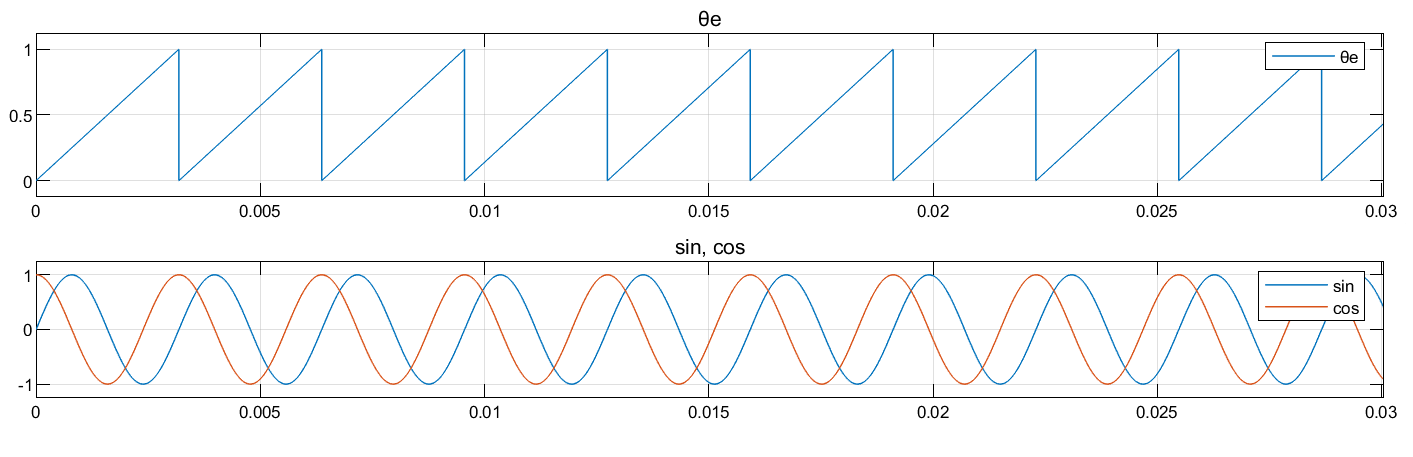
For more information about selecting the lookup approximation method, see Approximation method.
Use Optimization
For the option Optimized for selected angle units and data
type, the block applies the approximation method based on the values
specified for target platform, Theta data type, and Theta
units, as shown in this table:
| Required input | Approximation method applied | ||
|---|---|---|---|
| Target platform (based on selection for the Hardware board parameter) | Theta data type | Theta units | |
| Texas Instruments (TI) | Floating point | Rad / Per-unit / Deg | None |
| Fixed-point | Per-unit | TI IQMATH | |
| STM32TM | Floating point | Rad / Per-unit / Deg | None |
| Fixed-point | Rad / Per-unit / Deg | Lookup | |
| ARM® Cortex® | Floating point | Rad / Per-unit / Deg | None |
| Fixed-point | Rad / Per-unit / Deg | Lookup | |
| Other targets | Floating point | Rad / Per-unit / Deg | Lookup |
| Fixed-point | Rad / Per-unit / Deg | Lookup | |
For the option Best possible optimization, the block applies
the approximation method, theta data type, and theta units, based on the target platform, as
shown this table:
| Required input | Read-only parameters that are applied | ||
|---|---|---|---|
| Target platform (based on selection for the Hardware board parameter) | Approximation method | Theta data type | Theta input |
| TI | None | Floating point | Rad / Per-unit / Deg |
| STM32 | None | Floating point | Rad / Per-unit / Deg |
| ARM Cortex | None | Floating point | Rad / Per-unit / Deg |
| Others | Lookup | Floating point or Fixed-point | Rad / Per-unit / Deg |
Examples
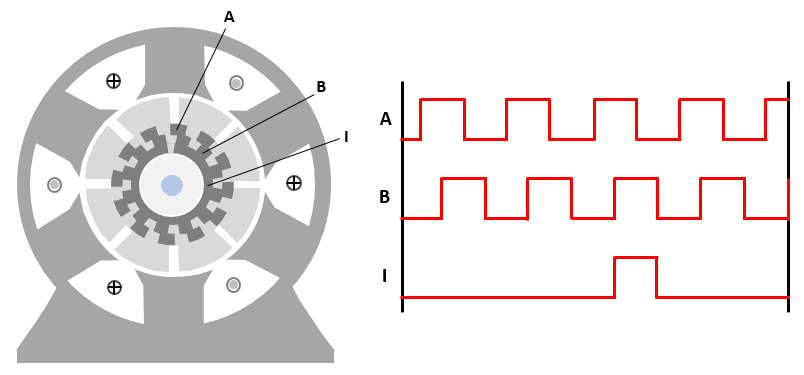
Field-Oriented Control of Induction Motor Using Speed Sensor
Implements the field-oriented control (FOC) technique to control the speed of a three-phase AC induction motor (ACIM). The FOC algorithm requires rotor speed feedback, which is obtained in this example by using a quadrature encoder sensor. For details about FOC, see Field-Oriented Control.
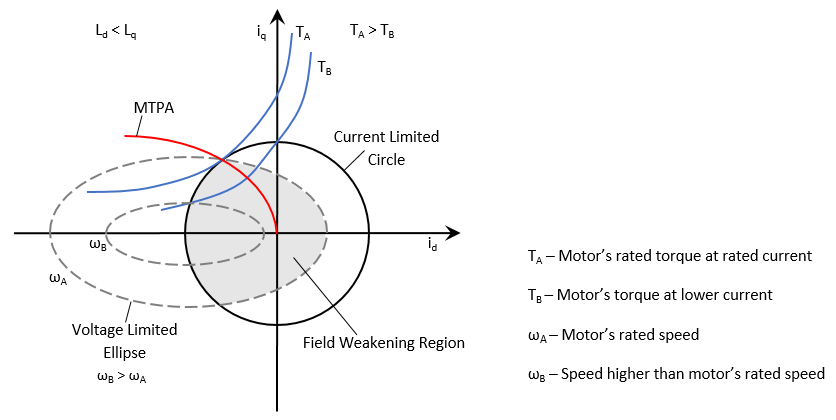
Field-Weakening Control (with MTPA) of PMSM
Implements the field-oriented control (FOC) technique to control the torque and speed of a three-phase permanent magnet synchronous motor (PMSM). The FOC algorithm requires rotor position feedback, which is obtained by a quadrature encoder sensor. For details about FOC, see Field-Oriented Control.
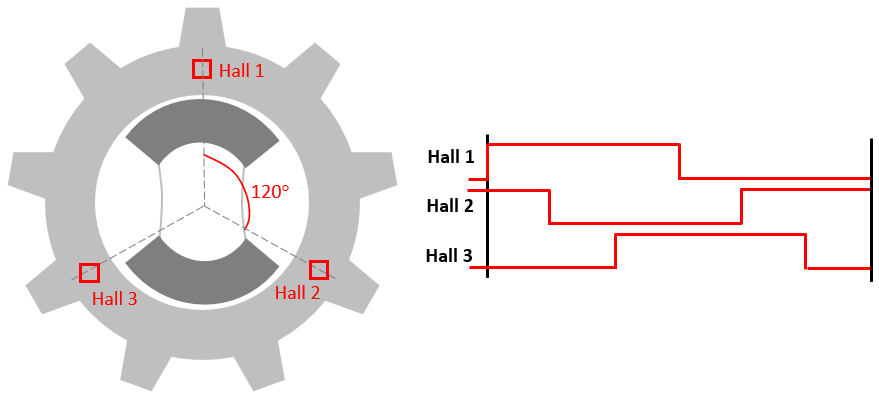
Field-Oriented Control of PMSM Using Hall Sensor
Implements the field-oriented control (FOC) technique to control the speed of a three-phase permanent magnet synchronous motor (PMSM). The FOC algorithm requires rotor position feedback, which is obtained by a Hall sensor. For details about FOC, see Field-Oriented Control.
Ports
Input
Output
Parameters
Use this parameter to choose between applying an approximation method (by disabling automatic computation adjustment) or applying optimized computation.
Disabled— specify the Approximation method and the values for other related parametersOptimized for selected angle units and data type— the block applies the approximation method that is optimized for execution time based on the selected hardware, by using the values specified for Theta data type and Theta unitsBest possible optimization— the block applies the approximation method that is optimized for execution time based on the selected hardware.
Specify the type of approximation for computing the sine and cosine output signals. You can select one of these values.
None— Select this value if you do not want to use any approximation.CORDIC— Select this value if you want to use the CORDIC approximation method.Lookup— Select this value if you want to use the lookup approximation method.TI IQMATH— Block selects this value if you are using a Texas Instruments hardware target.
Dependencies
You cannot manually select the value TI IQMATH. The
block automatically selects this value, when both these two conditions are
satisfied:
You select any Texas Instruments hardware target in the Hardware board parameter available in the Hardware Implementation tab of the Configuration Parameters dialog box for the Simulink model containing this block.
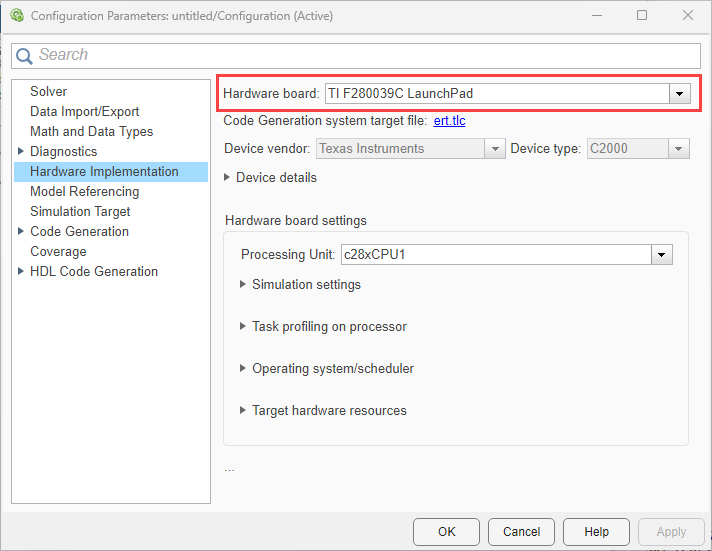
You select the
Optimize for selected angle units and data
                    type
option for Adjust computation for selected target parameter.
Unit of the input reference voltage position.
Dependencies
To enable this parameter, set the Adjust computation for selected
target parameter to Disabled, and set the
Approximation method parameter to either
None or Lookup.
Size of the lookup table array. This parameter accepts a value between 125 and 4095.
Note
Based on the value you enter in this parameter, the block uses a value nearest to
(125*n)+2. The block performs this approximation to optimize the
computation in the hardware.
Dependencies
To enable this parameter, set the Adjust computation for selected
target parameter to Disabled, and set the
Approximation method parameter to
Lookup.
Data type for the lookup table array, specified as:
Inherit: Inherit via inputdoublesinglefixdt(1,16,0)<data type expression>
For more information on setting data types, see Control Data Types of Signals.
Dependencies
To enable this parameter, set the Adjust computation for selected
target parameter to Disabled, and set the
Approximation method parameter to
Lookup.
Specify the number of iterations to perform the CORDIC algorithm. The default value is 11.
When the block input uses a floating-point data type, the number of iterations can be a positive integer.
When the block input is a fixed-point data type, the number of iterations cannot exceed the word length.
For example, if the block input is
fixdt(1,16,15), the word length is 16. In this case, the number of iterations cannot exceed 16.
Dependencies
To enable this parameter, set the Adjust computation for selected
target parameter to Disabled, and set the
Approximation method parameter to
CORDIC.
Data type for the lookup table array, specified as:
doublesinglefixdt([],16,0)<data type expression>
For more information on setting data types, see Control Data Types of Signals.
Dependencies
To enable this parameter, configure the block to use the TI
IQMATH approximation method by:
Selecting any Texas Instruments hardware target in the Hardware board parameter available in the Hardware Implementation tab of the Configuration Parameters dialog box for the Simulink model containing this block.
Selecting the
Optimize for selected angle units and data
                    type
option for Adjust computation for selected target parameter.
More About
Extended Capabilities
Version History
Introduced in R2024b

