Training Neural Networks with Time Series Data
This topic outlines the different options available in training neural networks with time series data in MATLAB® using Deep Learning Toolbox™. You can train neural networks for tasks in the application areas of signal processing, audio processing, wireless communications, radar processing, predictive maintenance, autonomous navigation, text analytics, and computational finance applications.
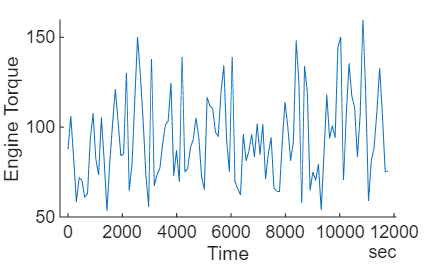
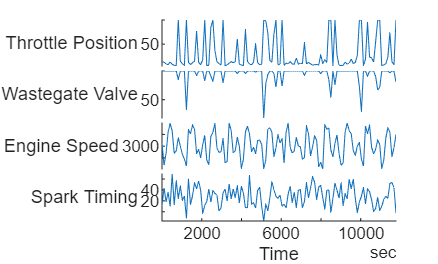
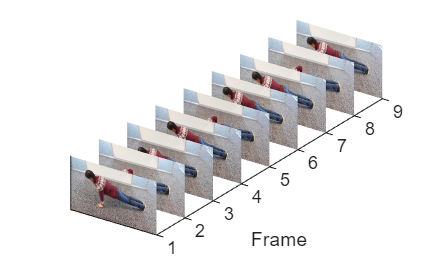
This table shows some examples of time series data.
| Data | Diagram | Description | Example |
|---|---|---|---|
| Single-channel sequence |
| Sequence of scalar values. Each time step of the data is the corresponding scalar value. | Single-channel readings from a sensor, specified as a vector
X, where X(t) is the value of
the sensor at time step t. |
| Multichannel sequence |
| Sequence of vectors. Each time step of the data is a vector. Each element of the vector is the value for the corresponding channel and time step. | Reading from multiple sensors simultaneously, specified as a matrix
X, where X(t,c) is the value
of the sensor c of the sequence at time step
t. |
| Image sequence |
| Sequence of images. Each time step of the data is an image. Each pixel of the image is a vector. Each element of the vector is the value for the corresponding pixel, channel, and time step. | Video data, specified as a 4-D array X, where
X(i,j,c,i) is the value of the channel
c of the pixel in the [i j]
position of the image of the sequence at time step
t. |
For batches of time series data, you can have an additional dimension that corresponds to the observations in the batch. In the context of time series data and neural networks, the term observation typically refers to the complete sequence of data. In other contexts of time series data, the term observation can refer to the elements or the individual time steps of the series. For example, you can represent a batch of multichannel sequences as a 3-D array, where the three dimensions index over the time steps, channels, and observations.
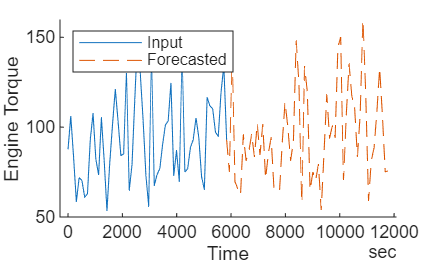
You can train neural networks to predict scalar values or single time step values (known as sequence-to-one or sequence-to-label tasks), or you can train neural networks to predict entire sequences (known as sequence-to-sequence tasks). A common application of neural networks for time series data is time series forecasting. This table shows various tasks that you can train neural networks for using time series data.
| Task | Diagram | Description | More Information |
|---|---|---|---|
| Forecasting |
| Forecast future values of time series data. | Time Series Forecasting Using Deep Learning |
| Sequence-to-label classification |
| Predict categorical label of time series. | Sequence Classification Using Deep Learning |
| Sequence-to-one regression |
| Predict numeric response of time series. | Sequence-to-One Regression Using Deep Learning |
| Sequence-to-sequence classification |
| Predict categorical labels of time steps. | Sequence-to-Sequence Classification Using Deep Learning |
| Sequence-to-sequence regression |
| Predict numeric responses of time steps. | Sequence-to-Sequence Regression Using Deep Learning |
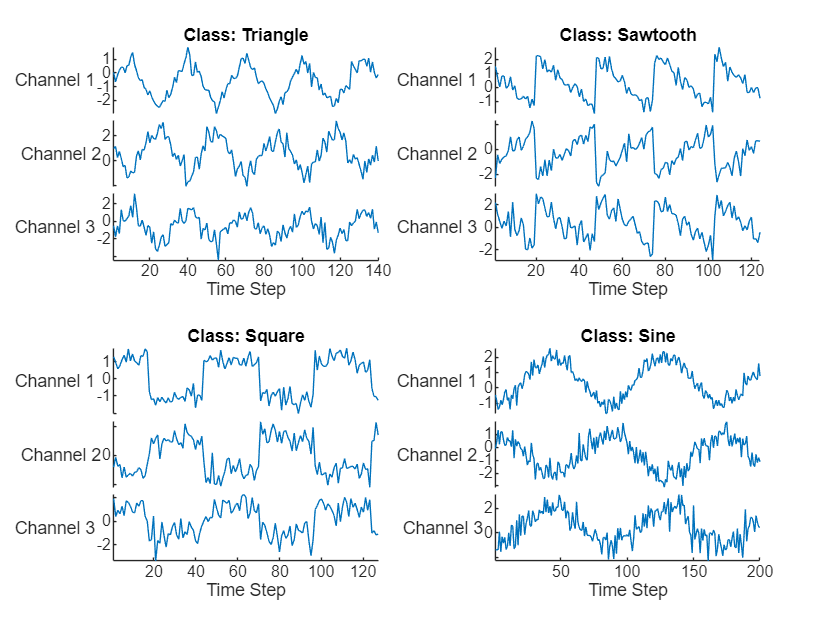
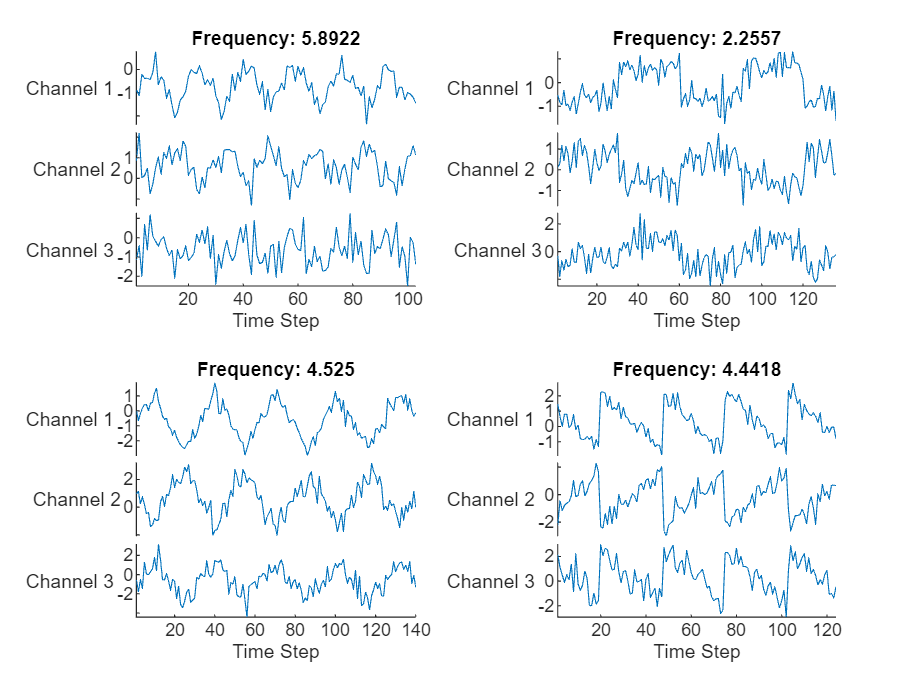
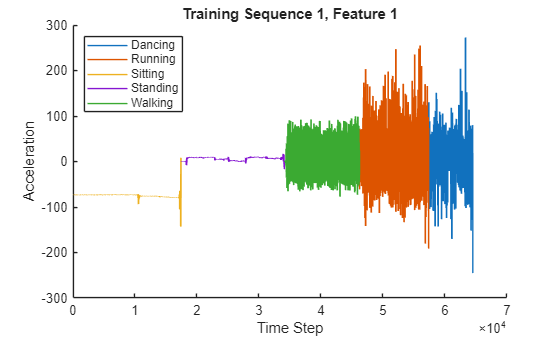
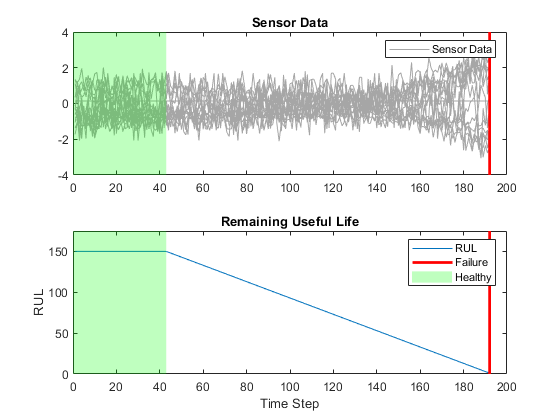
There are several ways to train neural networks for time series data. This table outlines various approaches.
| Method | Example Code or App | Description | More Information |
|---|---|---|---|
| Interactive training |
| Interactively design and train neural networks for time series forecasting and regression using the Time Series Modeler app. For forecasting tasks, this is usually the easiest option | Interactive Training |
| Built in training |
options = trainingOptions("adam");
net = trainnet(X,T,layers,net,lossFcn,options); | Train neural networks using the trainnet function. Use this option for sequence
classification and regression tasks or when want to further customize
the training process. | Built-In Training |
| Custom training loops |
while hasdata(mbq) [X,T] = next(mbq); [loss,gradients] = dlfeval(lossFcn,net,X,T); net = myupdate(net,gradients); end | If the trainingOptions function
does not provide the training options that you need, or you have a model
that cannot be defined as a network of layers, then you can define your
own custom training loop using automatic differentiation. | Custom Training Loops |
Interactive Training
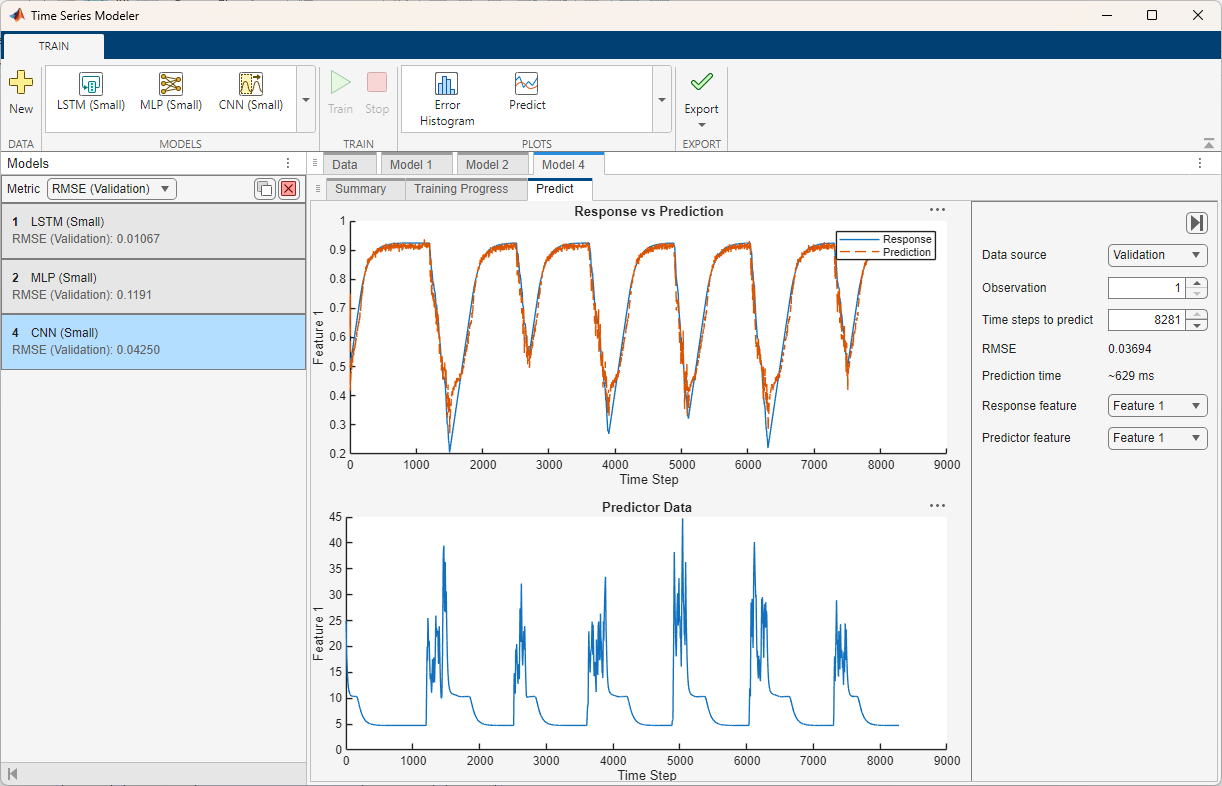
The Time Series Modeler app enables you to interactively process your data, define the neural network architecture, and specify options for training.
Using this app, you can:
Import and visualize time series data. You can also specify data preprocessing options such as normalization and splitting the data into training and validation sets.
Train models for time series prediction. You can select and adapt predefined models or build custom deep neural networks using an interactive network editor.
Visualize training progress and monitor training metrics.
Automatically detect overfitting during training.
Use your trained model to predict values for the training and validation data sets.
Track and compare the performance of trained models.
Generate code to help you predict on new data.
Export your model to Simulink® layer blocks for integration of your model into a larger engineering system.
The app provides a selection of neural architectures for you to try out and customize. For example, you can start with these neural network architectures:
Long short-term memory (LSTM) networks
Gated recurrent unit (GRU) networks
Multi-layer perceptron (MLP) networks
Convolutional neural networks (CNN)
Custom deep neural networks suitable for one-step-ahead time series modeling
Autoregressive moving average (ARMA) model. This model requires System Identification Toolbox™.
To open the Time Series Modeler app, use one of these options:
MATLAB Toolstrip: On the Apps tab, under Machine Learning and Deep Learning, click the app icon.
MATLAB command prompt: Enter
timeSeriesModeler.
For more information and examples, see Time Series Modeler.
Built-In Training
For sequence classification and regression tasks, or if the Time Series
Modeler does not support the data preprocessing or training options that you
need for your task (for example, mini-batching options), then you can train your model
using built-in functions like trainnet
and trainingOptions. You can still create,
import, and edit neural networks interactively using the Deep Network
Designer app.
To train a neural network using the trainnet function, you can
use code of the form:
[X,Y] = loadData;

layers = [
    sequenceInputLayer(numFeatures)
    lstmLayer(numHiddenUnits)
    fullyConnectedLayer(outputSize)];

options = trainingOptions("adam",MiniBatchSize=16);

net = trainnet(X,Y,layers,"l1loss",options);
For a list of available layers, see List of Deep Learning Layers. If Deep Learning Toolbox does not provide the layer that you need, you can define your own layers. For more information, see Define Custom Deep Learning Layers.
For examples showing how to train neural networks with time series data using the
trainnet function, see:
Custom Training Loops
If the trainingOptions function does not provide
the training options you need or dlnetwork does not support the
neural network architecture you need, then you can implement your own training algorithm
using a custom training loop with automatic differentiation.
If the trainingOptions function does not provide
the training options that you need, for example a custom solver, then you can implement
your own training algorithm using a custom training loop with a dlnetwork object.
For example, to train a neural network with a custom learnable parameter update
function myupdate, run these
commands.
epoch = 0;
iteration = 0;
while epoch < numEpochs
    epoch = epoch + 1;

    reset(mbq);

    while hasdata(mbq)
        iteration = iteration + 1;
        [X,T] = next(mbq);

        [loss,gradients] = dlfeval(lossFcn,net,X,T);

        net = myupdate(net,gradients);
    end
end
For an example that shows how to train a neural network with time series data using custom training loop, see Train Sequence Classification Network Using Custom Training Loop.
For deep learning models that cannot be specified as a neural network of layers, for example, models with loops or conditional branching, you can define your model using a MATLAB function using automatic differentiation. To train a model defined as a function, use a custom training loop. For more information, see Train Network Using Model Function.
For example, to define a model with a single input and a single output using MATLAB code, you can define a function of this form.
function Y = model(parameters,X)
   ...
end
Here, parameters is an array or structure of learnable parameters,
X is the model input, specified as a dlarray
object, and Y is the model output.
For an example that shows how to train a neural network with time series data using custom training loop and a model function, see Train Latent ODE Network with Irregularly Sampled Time-Series Data.
See Also
Time Series
Modeler | trainnet | trainingOptions | dlnetwork
Topics
- Time Series Forecasting Using Deep Learning
- Sequence Classification Using Deep Learning
- Sequence-to-Sequence Classification Using Deep Learning
- Sequence-to-Sequence Regression Using Deep Learning
- Sequence-to-One Regression Using Deep Learning
- Sequence Classification Using 1-D Convolutions
- List of Deep Learning Layers
- Define Custom Deep Learning Layers
- Custom Training Loops

