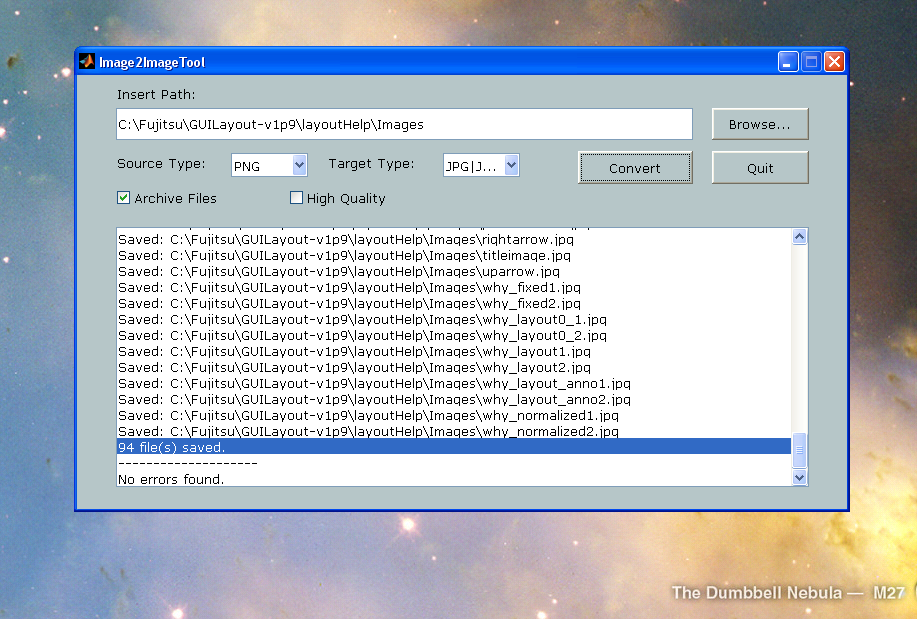
Image2ImageTool converts image files from one format to another.
Image2ImageTool starts a GUI for converting image files.
The GUI allows you to search for image files from a specified directory
and to create a copy of each image using the specified format.
Possible input formats (source formats) are BMP, FIG, GIF, JPG/JPEG, PNG, PPM or TIF/TIFF.
These input formats can be converted to output formats (target formats) which are BMP, EMF, EPS, FIG, GIF, JPG/JPEG, PDF, PNG, PPM or TIF/TIFF.
Cite As
Mikko Leppänen (2026). Image2ImageTool (https://uk.mathworks.com/matlabcentral/fileexchange/39981-image2imagetool), MATLAB Central File Exchange. Retrieved .
MATLAB Release Compatibility
Created with
R2012b
Compatible with any release
Platform Compatibility
Windows macOS LinuxCategories
- Image Processing and Computer Vision > Image Processing Toolbox > Image Filtering and Enhancement > Morphological Operations >
- MATLAB > Graphics > Images > Convert Image Type >
Find more on Morphological Operations in Help Center and MATLAB Answers
Tags
Discover Live Editor
Create scripts with code, output, and formatted text in a single executable document.
| Version | Published | Release Notes | |
|---|---|---|---|
| 1.0.0.0 |
