The contest development team has identified an issue when trying to link your new entries to submissions in the File Exchange. The issue has prevented some users from successfully linking their entries. We have a fix and will be deploying it today at 3pm EST.
7 Comments
Time Descending
I tried to add rectTree, and was not successful.

The rules state that you can only use File Exchange submissions uploaded prior to the start of the contest, the Rectangular Tree entry doesn't meet that criteria.
Also, you can link one File Exchange submission per entry, not one FEX function per entry. And you can link to different FEX submissions - one for each contest entry.
I dont understand this, I was only allowed to use one FEX function a week? WHY
How to link your entry to a File Exchange submssion
1. Browse the File Exchange [https://www.mathworks.com/matlabcentral/fileexchange/] and find a submission you'd like to leverage for your contest entry. Many submissions provide examples that are easy to follow.
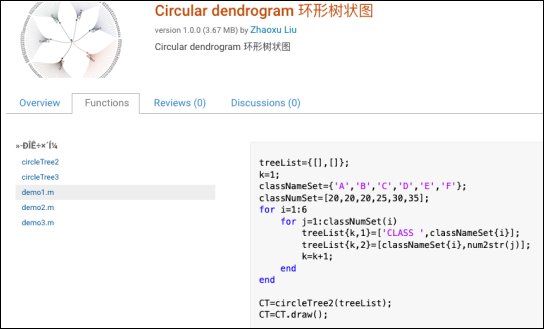
2. Copy the URL of the FIle Exchange submission web page.
3. Paste the URL into the contest entry field and then click the Add button. The system will provide a message whether it's been linked successfully or not. The name of the File Exchange submission will appear below the input field when successful, allowing you to remove it if you change your mind.
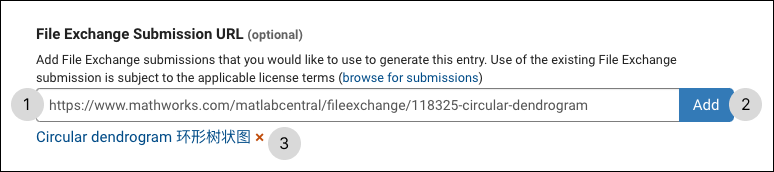
4. Now you can use functions found in the linke File Exchange submission in your contest entry.
Note: not all submissions will work for the contest as they may leverage unsupported toolboxes, generate figure windows, or other functionality that isn't supported in a web browser.
Still not sure how to use FEX functions, so if we request one, you go compile it?
I ran roseBall, and no such function, but if I do reMix, I can run roseBall?

If you want to link the above submission on your entry, you have to paste that full URL in the FX field provided and click on “Add”. You will get a confirmation saying “FX submission attached”. And then, you should be able to use that submission while creating your entry. For eg, if you add the above submission while creating a new entry, you should be able to run the function roseBall in the editor, which would generate an image.
The fix has been deployed. Everyone should be able to link to submissions in File Exchange without issues.
Sign in to participate