Main Content

Reference Path Generator

Generate vehicle reference pose and path curvatures

Since R2026a

  • Reference Path Generator block

Libraries:
Vehicle Dynamics Blockset / Vehicle Scenarios / Drive Cycle and Maneuvers

Description

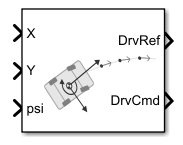
The Reference Path Generator block fits a clothoid curve to user-defined waypoints to generate vehicle reference pose and path curvature. Clothoid curves have curvature that varies linearly with distance traveled, making them ideal for generating smooth, easily navigable trajectories. The block calculates the nearest path using instantaneous vehicle position and computes a reference horizon over a specified length and number of samples for use by a driver block. Select either closed or open-ended waypoints, and specify the distance to search ahead for the nearest waypoint to the vehicle to identify the starting reference point.

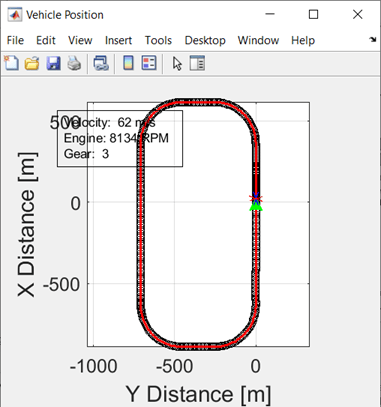
The figure shows how the Reference Path Generator block generates the reference horizon from the fitted path. Blue circles represent the specified waypoints, Reference path waypoints, refPathXY [m], connected by a smooth clothoid curve. From the vehicle's current position and orientation specified by the block inputs, X, Y, and psi, the block identifies the nearest point on the path and computes a specified number of evenly spaced points ahead, shown as red circles. These points form the output reference path, DrvRef, used for trajectory planning. The first point is the closest reference location, while the last point lies at a distance, Path search distance, wayptSrchDist [m], along the path from the vehicle position, ensuring a continuous horizon.

Examples

Ports

Input

expand all

Longitudinal position of the vehicle center of mass in the global coordinate system. This input is required to verify that the vehicle has reached the XGate location to initiate the test procedure.

Data Types: single | double

Lateral position of the vehicle center of mass in the global coordinate system. This input is required to generate an appropriate reference pose.

Data Types: single | double

Vehicle yaw angle with respect to the global coordinate system. This input is required to generate an appropriate reference pose.

Data Types: single | double

Output

expand all

Driver reference data, returned as a bus containing these block values.

SignalDescriptionUnits

LngRef

Longitudinal reference velocity

m/s

LtrRef

Lateral reference displacement

m

XRef

Vehicle global longitudinal reference position

m

YRef

Vehicle global lateral reference position

m

PsiRef

Vehicle global yaw reference position

rad

CurvRef

Reference path curvature

1/m

CurvGradRef

Reference path curvature gradient

1/m^2

Data Types: bus

Driver command data, returned as a bus containing these block values.

SignalDescription

SteerCmd

EnblSteerCmd

Boolean signal used to override driver model steering commands

SteerCmd

Handwheel angle, in radians

SteerZero

Boolean signal used to override driver model steering commands with zero when value is true

SteerHld

Boolean signal used to hold the current driver model steering output when true

AccelCmd

EnblAccelCmd

Boolean signal used to override driver model acceleration commands

AccelCmd

Normalized accelerator input

AccelHld

Boolean signal used to hold the current driver model acceleration output when true

AccelZero

Boolean signal used to override driver model acceleration commands with zero when value is true

DecelCmd

EnblDecelCmd

Boolean signal used to override driver model deceleration commands

DecelCmd

Normalized decelerator or brake input

DecelHld

Boolean signal used to hold the current driver model deceleration output when true

DecelZero

Boolean signal used to override driver model deceleration commands with zero when value is true

HndBrkCmd

Normalized handbrake or park brake input

TransCmd

TransModeCmd

Command to specify the transmission mode

GearCmd

Command to specify manual gear number or automatic transmission shifter position

UpShiftCmd

Command to upshift

DwnShiftCmd

Command to downshift

ClutchCmd

Normalized clutch open command for manual transmissions

Data Types: bus

Parameters

expand all

To edit block parameters interactively, use the Property Inspector. From the Simulink® Toolstrip, on the Simulation tab, in the Prepare gallery, select Property Inspector.

Reference path waypoints specified as an n-by-3 array where n is the number of waypoints, in m. Optionally, you can specify a third column in the array of path tangent angles which will be enforced during the fitting process. This can lead to more precise and consistent fitting.

Note

To get a good path fit, you may need to experiment with increasing or decreasing the number of points in areas of the path where greater precision is needed.

Programmatic Use

To set the block parameter value programmatically, use the set_param function.

To get the block parameter value programmatically, use the get_param function.

Parameter: refPathXY
Values: n-by-3 array
Data Types: single | double

Path search distance, in m.

Programmatic Use

To set the block parameter value programmatically, use the set_param function.

To get the block parameter value programmatically, use the get_param function.

Parameter: wayptSrchDist
Values: 100 (default) | scalar in the range (0, inf)
Data Types: single | double

Example: wayptSrchDist=80

Number of sample points to calculate the path horizon.

Programmatic Use

To set the block parameter value programmatically, use the set_param function.

To get the block parameter value programmatically, use the get_param function.

Parameter: numHrznPts
Values: 20 (default) | scalar in the range [1,inf)
Data Types: single | double

Example: numHrznPts=30

Option to close the path using the first and last waypoints.

Programmatic Use

To set the block parameter value programmatically, use the set_param function.

To get the block parameter value programmatically, use the get_param function.

Parameter: pathClosed
Values: on (default) | off
Data Types: char | string

Example: pathClosed="off"

Option to output an array of the search path horizon.

Tunable: Yes

Programmatic Use

To set the block parameter value programmatically, use the set_param function.

To get the block parameter value programmatically, use the get_param function.

Parameter: multiPoints
Values: off (default) | on
Data Types: char | string

Example: multiPoints="on"

Sample rate, in s.

Programmatic Use

To set the block parameter value programmatically, use the set_param function.

To get the block parameter value programmatically, use the get_param function.

Parameter: dt
Values: 0.01 (default) | -1 | positive scalar
Data Types: single | double

Example: dt=0.02

Option to plot the path and curvature.

Extended Capabilities

expand all

C/C++ Code Generation
Generate C and C++ code using Simulink® Coder™.

Version History

Introduced in R2026a