Actuator Selection in Ground Control Station
R2026bTo ensure your aircraft responds correctly to control commands, it is important to set up and verify actuator outputs using Mission Planner, the Ground Control Station (GCS) software. This process involves checking that each servo is connected and mapped to the correct control surface or function. Perform the steps below to configure and confirm your actuator settings in Mission Planner.
Open Mission Planner.
Configure Servos.
Go to Setup > Mandatory Hardware > Servo Output and check that the servos are configured correctly.
Default mapping for a plane:
Servo 1: Aileron
Servo 2: Elevator
Servo 3: Throttle
Servo 4: Rudder
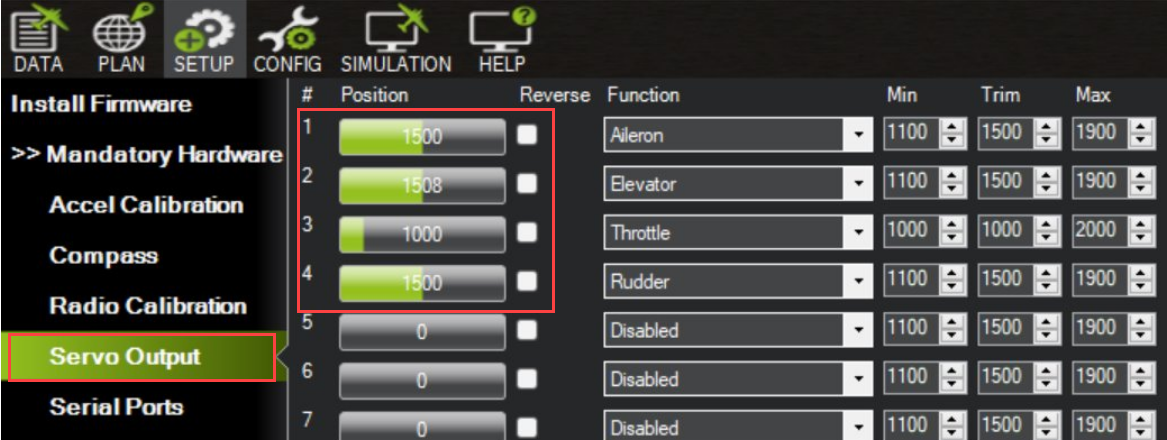
Configuring the servos ensures your aircraft responds correctly to control inputs.

