CLB Logic for Clock Generation
R2026bAfter you generate code for a model that uses CLB-based BiSS clock generation, you can use Code Composer Studio (CCS) to update the CLB tile configurations and regenerate the CLB configuration files. This topic describes how to:
Update or modify the CLB tile configurations.
Generate CLB configuration files.
Generate CLB BiSS clock generation HTML file.
CLB Tile Configuration
To generate the code for the model, press Ctrl+B or click Build, Deploy & Start. To follow the build process, open the diagnostic viewer using the link provided at the bottom of the model canvas.
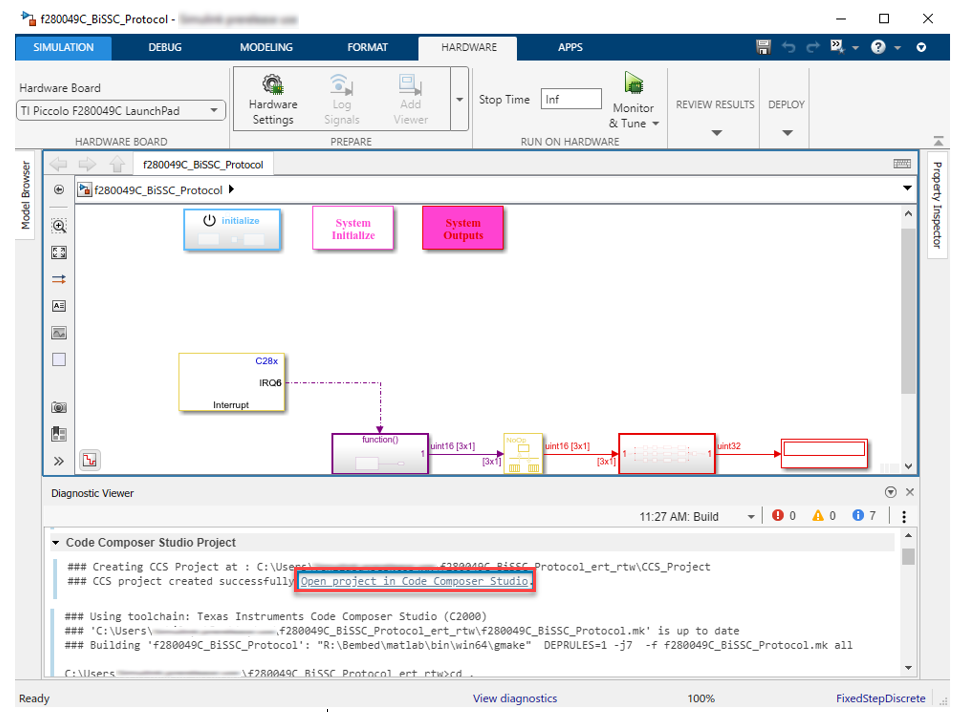
To open the project in CCS, click the project link in the diagnostic viewer.
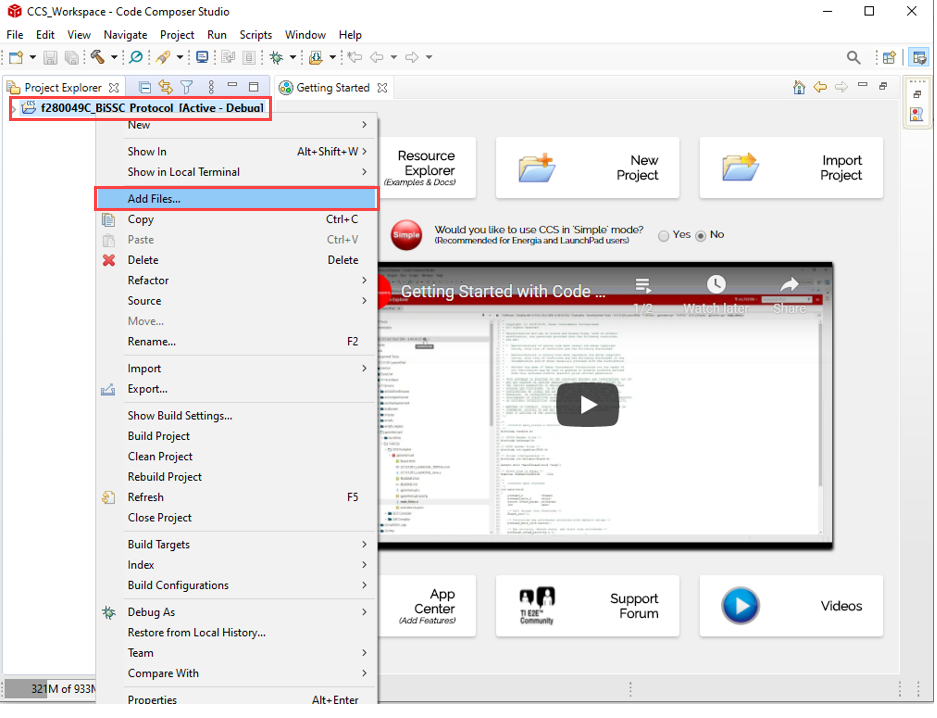
Right-click the project and select Add files.
Locate the
bissc.syscfgfile in the\tic2000examplesfolder of your installed blockset.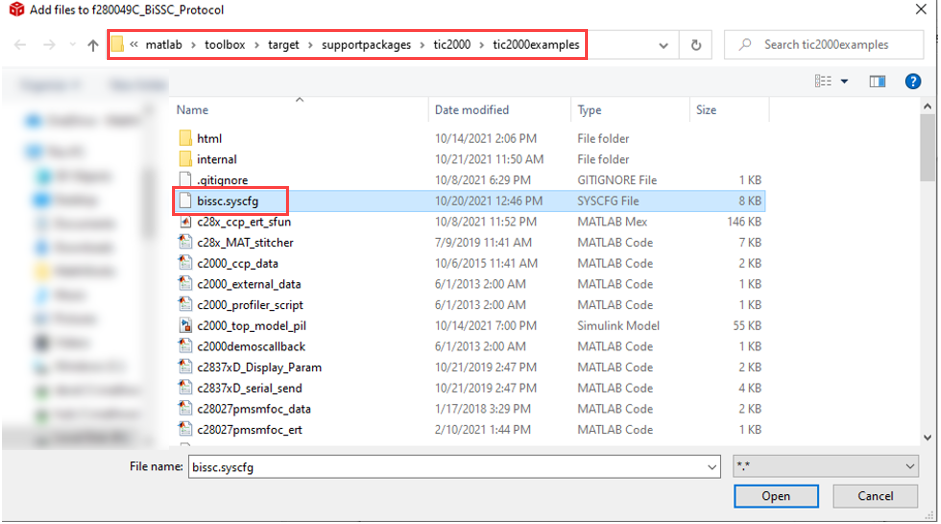
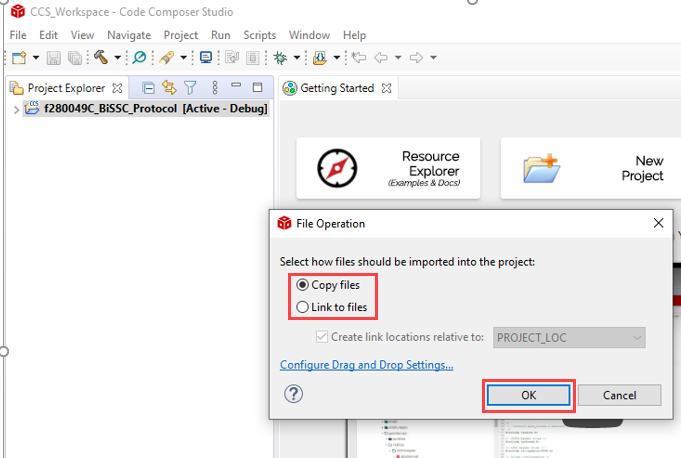
To copy the file, click OK.
Configure the BiSS system configuration file (
bissc.syscfg).Right-click
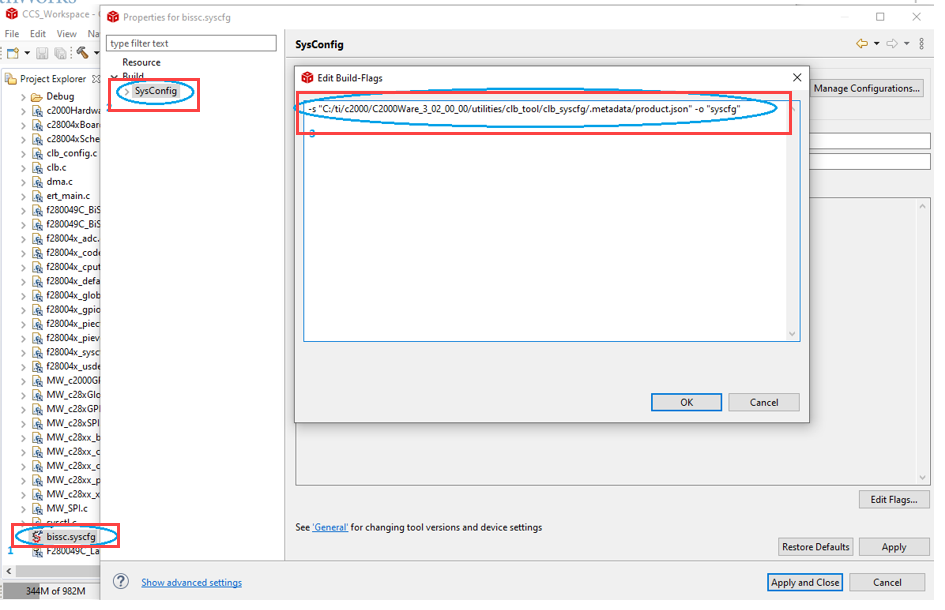
bissc.syscfgand select Properties.Under Build, select SysConfig and click Edit Flags.
Update the path to match your C2000Ware installation location, then click Apply and Close.
To view the tile configurations, double-click
bissc.syscfg.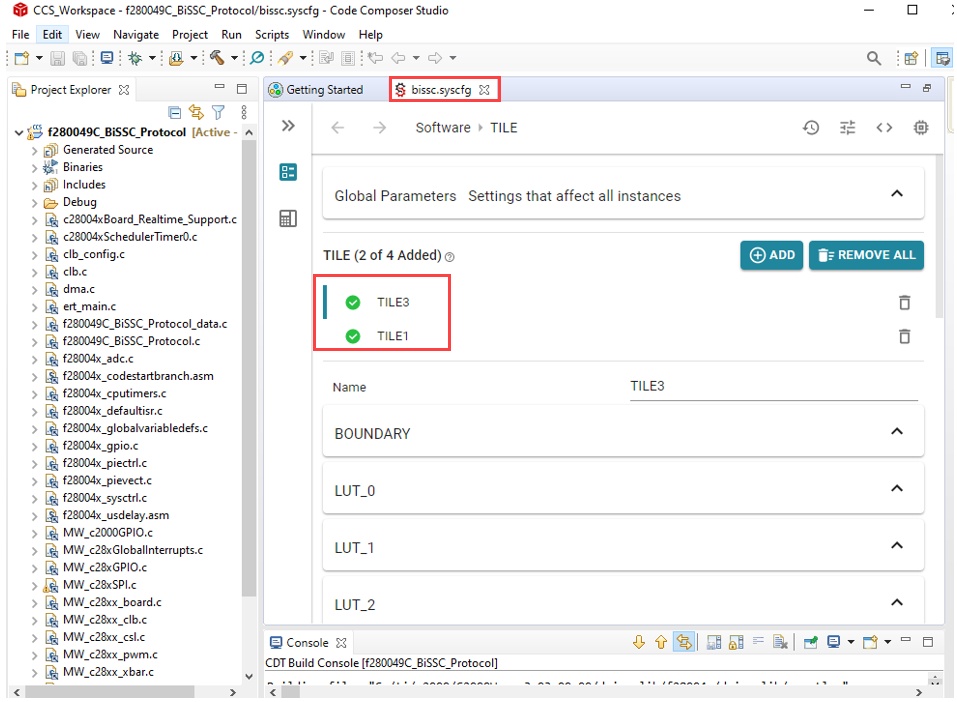
Generate CLB Configuration File
To regenerate the
CLB_config.candCLB_config.hfiles, first delete the existingCLB_config.cfile.
Build the project. After a successful build, the new
CLB_config.candCLB_config.hfiles are generated. You can choose to debug from CCS or use these files in MATLAB®.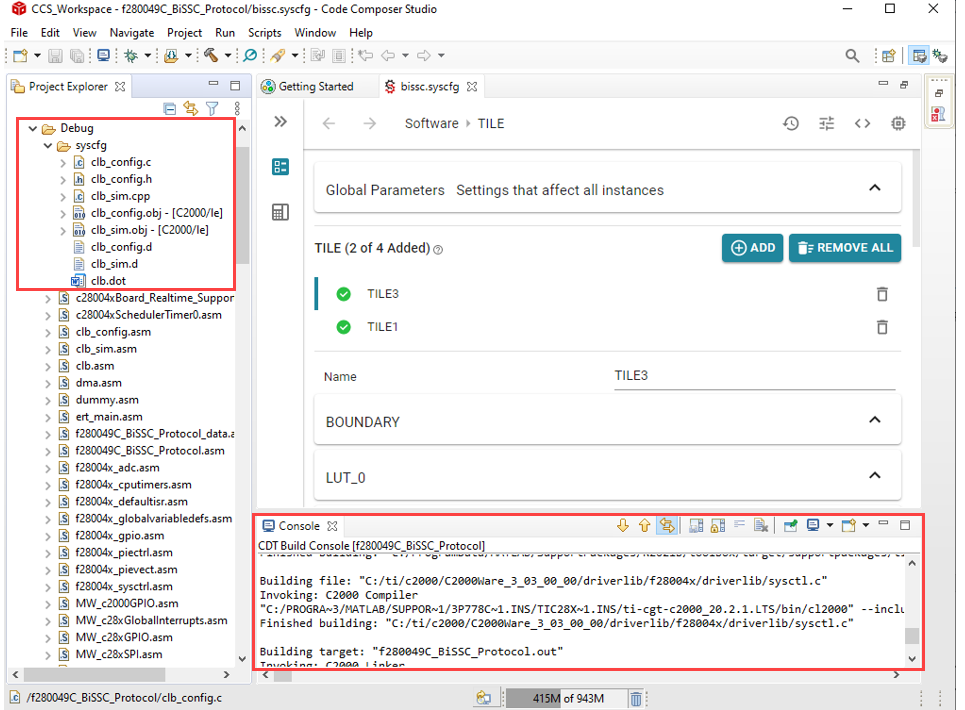
Generate CLB Configuration in HTML
The CLB tool generates CLB configuration in HTML format in CCS. The HTML file shows the submodule interconnections in diagram form and can be used to verify the design.
Under the project properties, add the path to the CLB tool in your C2000Ware installation. For example:
C:\ti\c2000\C2000Ware_3_02_00_00\utilities\clb_tool\clb_syscfg\
Update the version number in the path to match your installed C2000Ware version.
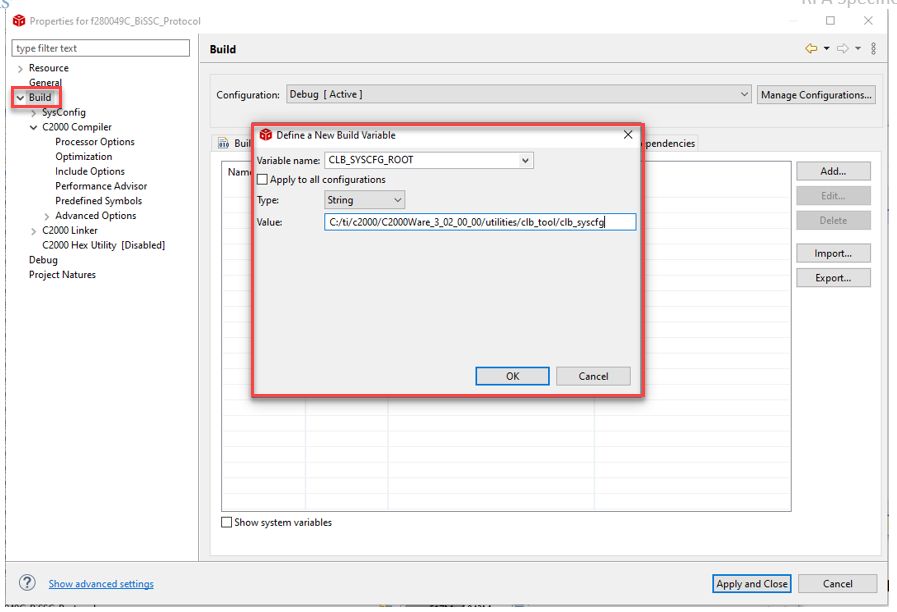
Enter the following command under the post build option as shown:
${NODE_TOOL} "${CLB_SYSCFG_ROOT}/dot_file_libraries/clbDotUtility.js"  "${CLB_SYSCFG_ROOT}"
"${BuildDirectory}/syscfg" "${BuildDirectory}/syscfg/clb.dot"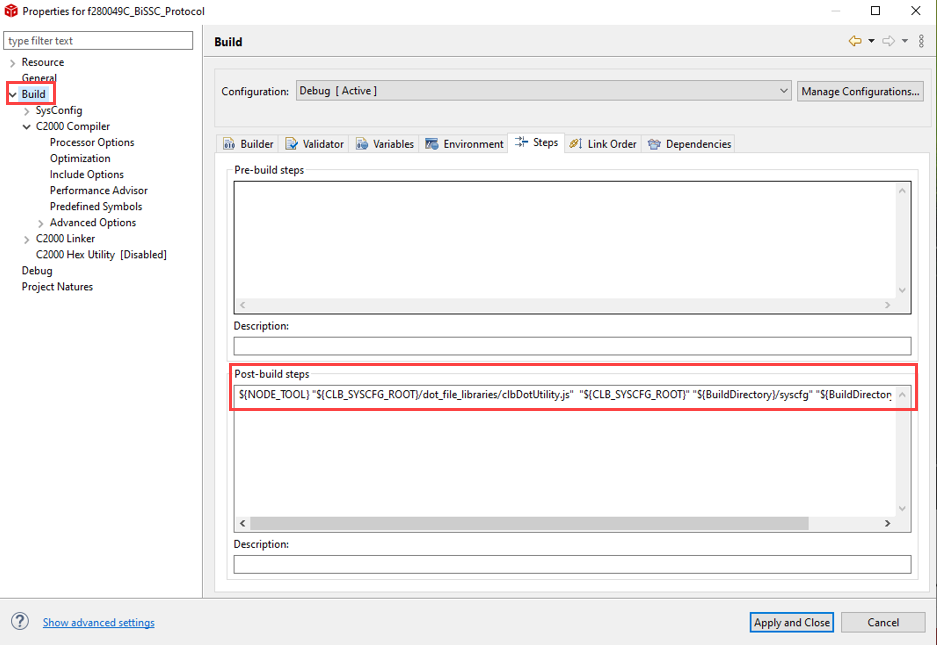
Build the project. After a successful build, the
clb.htmlfile is generated.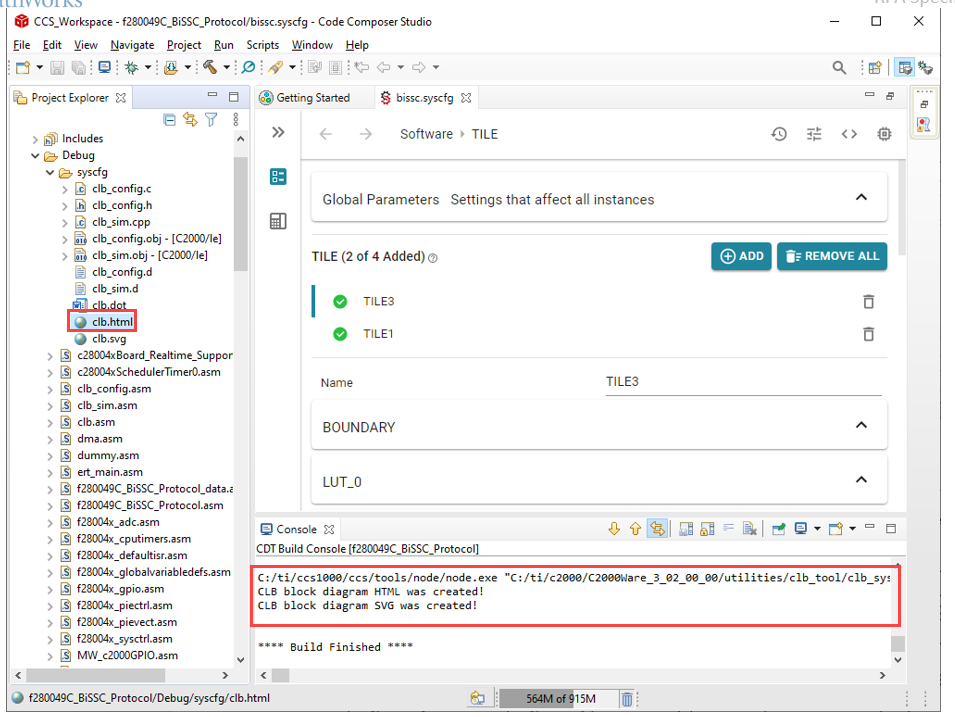
To view the CLB tile design, double-click
clb.html.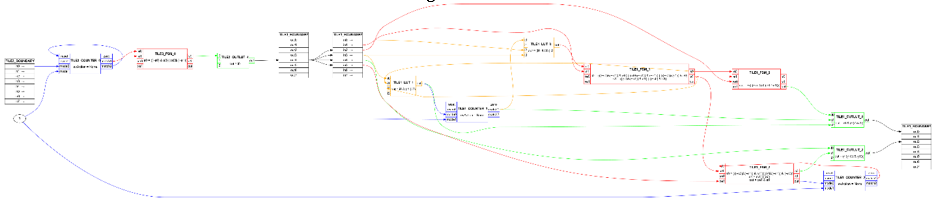
See Also
Read Position of BiSS-C Absolute Encoder

