DateTime
R2026bBlocks that output and convert simulation date and time, such as DateTime
Clock and DateTime Data Type Converter
Use blocks from the DateTime library to simulate models at a specific
calendar date and time. The DateTime Clock block outputs the current
simulation date and time using the datetime data type, and the
supporting blocks convert between time points, storage data types, time
standards (TAI, UTC, TT), and string formats.
DateTime signals use the MATLAB datetime object.
To add blocks from this library to your model, see Add Blocks to Models.
Blocks
 | DateTime Clock | Output current simulation calendar date and time as DateTime data
type (Since R2026b) |
 | DateTime Data Type Converter | Convert time points or storage data types of DateTime
signal (Since R2026b) |
 | DateTime Time Standard Converter | Convert between DateTime time standards (Since R2026b) |
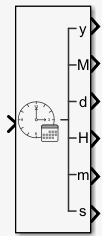 | DateTime to Calendar Time | Convert DateTime signal to calendar time format (Since R2026b) |
 | DateTime to Formatted String | Convert DateTime signal data type to formatted
string (Since R2026b) |
 | From DateTime | Extract value of DateTime input signal (Since R2026b) |
 | To DateTime | Output DateTime signal (Since R2026b) |
Tools
| Library Browser | Find and add blocks to model |
Topics
- Add Blocks to Models
Use the Library Browser and quick insert menu to insert blocks.

