Map Matrices to Block RAMs to Reduce Area
R2026bThis example shows how to use the RAM mapping optimization in HDL Coder™ to map persistent matrix variables to block RAMs in hardware.
Introduction
MATLAB makes it easy to create, access, and manipulate matrices.
When processing MATLAB code, HDL Coder maps local temporary matrix variables to wires and persistent matrix variables to registers.
Mapping persistent matrices to registers tends to be inefficient when the matrix size is large, since the number of register resources available is limited. It also complicates synthesis, placement, and routing.
Modern FPGAs feature block RAMs that are designed to store large data arrays. HDL Coder takes advantage of this feature and automatically maps matrices to block RAMs to improve area efficiency. For certain designs, mapping these persistent matrices to RAMs is mandatory if the design is to be realized. State-of-the-art synthesis tools may not be able to synthesize designs when large matrices are mapped to registers. The problem size becomes more manageable when the same matrices are mapped to RAMs.
MATLAB Design
This example uses a Sobel edge detection filter, which uses persistent matrices for line buffers, to demonstrate RAM mapping.
design_name = "mlhdlc_sobel";
testbench_name = "mlhdlc_sobel_tb";
MATLAB Design: mlhdlc_sobel
MATLAB Test Bench: mlhdlc_sobel_tb
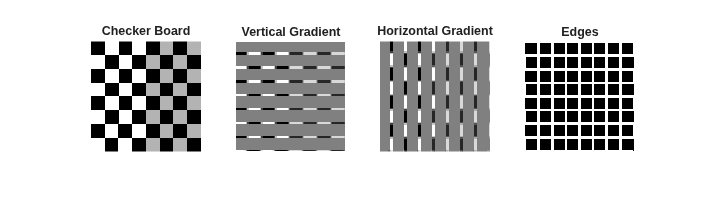
Input Image: stop_sign
Simulate the Design
Simulate the design with the test bench before code generation to make sure there are no runtime errors.
mlhdlc_sobel_tb
Create an HDL Coder Project
To create the mlhdlc_ram project and open the HDL Workflow Advisor, run this command
coder -hdlcoder -new mlhdlc_ram
Configure HDL Workflow Advisor for HDL code generation:
1. In the HDL Workflow Advisor task, set Code Generation Workflow to MATLAB to HDL.
2. In the Define Input Types task, add the design and test bench files. For MATLAB Function, click the Browse button and select mlhdlc_sobel.m. For MATLAB Test Bench, click the + button and select mlhdlc_sobel_tb.m.
3. Click the Run button to run the test bench and infer the input data types of the MATLAB design mlhdlc_sobel.
For more information on creating and populating MATLAB HDL Coder projects, see Generate HDL Code from MATLAB Algorithms.
Turn On the RAM Mapping Optimization and Generate HDL Code
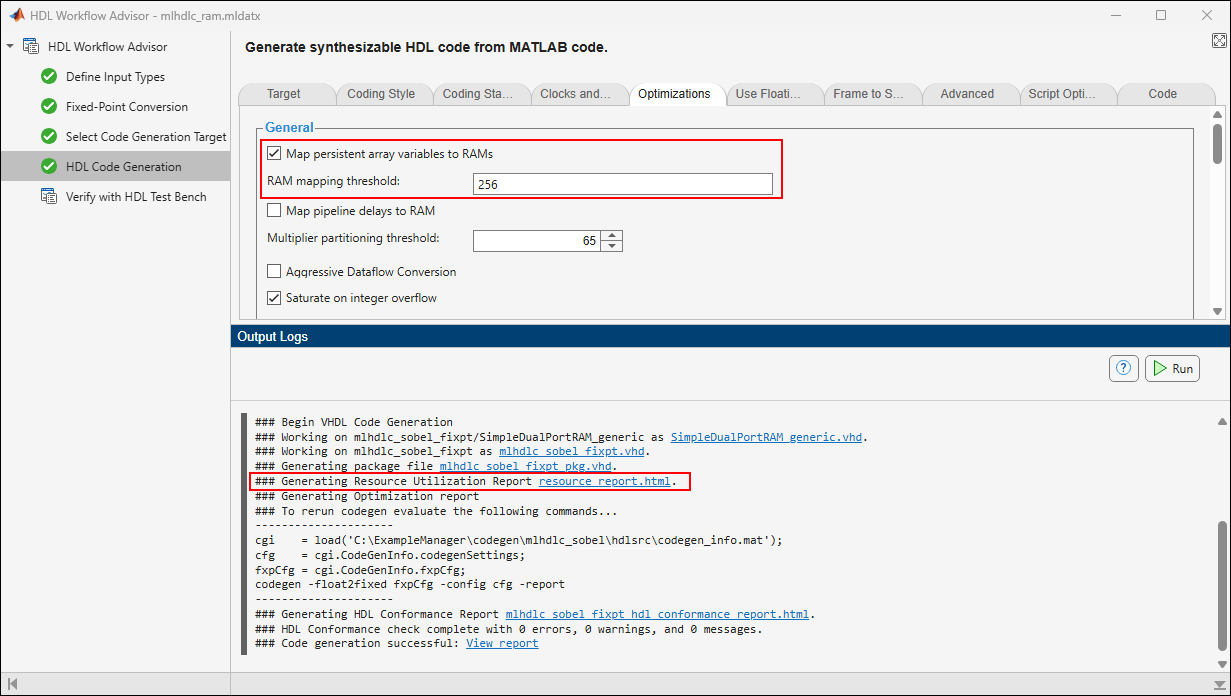
In the HDL Code Generation task, on the Optimizations tab, select Map persistent array variables to RAMs to map persistent variables to block RAMs.
In the HDL Workflow Advisor, right-click the HDL Code Generation task and select Run to selected task.
Examine the Resource Report
In the HDL Code Generation task, in the Output Logs tab, examine the messages to see the RAM files generated along with the design. A warning message appears for each persistent matrix variable that HDL Coder does not map to RAM.
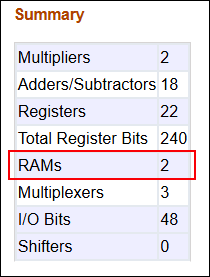
Click the hyperlink resource_report.html to open the Resource Utilization Report. The resource utilization report shows that HDL Coder mapped the persistent matrix variables (the line buffers in the Sobel filter) to two 128-by-14-bit block RAMs.
Additional Notes on RAM Mapping
Persistent matrix variable accesses must be in unconditional regions, that is, outside any if-else, switch case, or for-loop code.
MATLAB functions can have any number of RAM matrices.
HDL Coder maps all persistent matrix variables that meet the RAM mapping threshold to RAMs. To configure the threshold, use the RAM Mapping Threshold option in the HDL Code Generation settings.
HDL Coder displays a warning when a persistent matrix does not map to RAM.
Read-dependent write data cycles are not allowed: you cannot compute the write data as a function of the data read from the matrix.
Persistent matrices cannot be copied as a whole or accessed as a submatrix: matrix access (read/write) is allowed only on single elements of the matrix.
Mapping persistent matrices with non-zero initial values to RAMs is not supported.

