Blank Message
R2026bCreate blank ROS 2 message using specified message type
Blank Message ROS 2 block

To add a block to a model, double-click the canvas and start typing the block name. Then, select the block from the list.
Libraries:
ROS Toolbox /
ROS 2
Description
The Blank Message block creates a Simulink® nonvirtual bus corresponding to the selected ROS message type. The block creates ROS message buses that work with Publish, Subscribe, Call Service and Send Action Goal blocks.
Examples
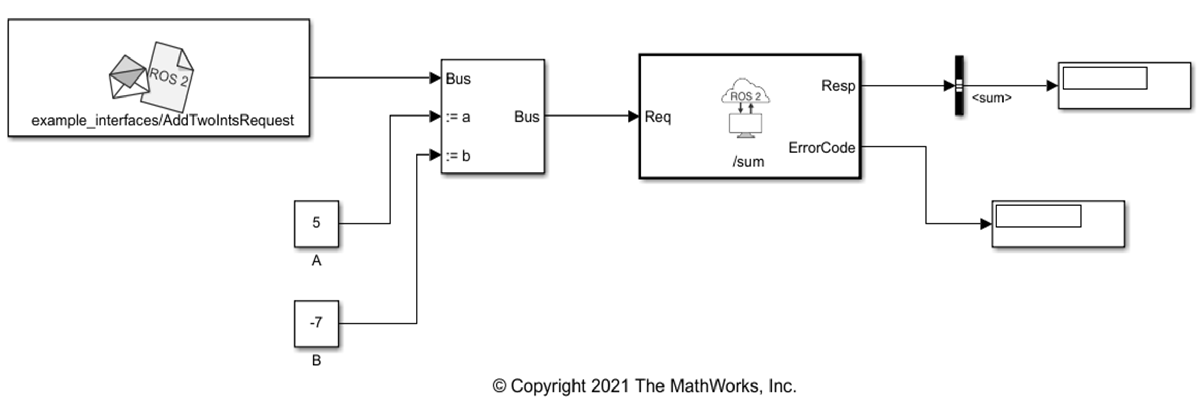
Call ROS 2 Service in Simulink
Call a service on the ROS 2 network in Simulink using the Call Service block and receive a response.
Ports
Output
Parameters
Programmatic Use: Add Block
To add the block programmatically, use the add_block function with one of these library block paths as the source.
"ros2lib/Blank Message"
Example: add_block("ros2lib/Blank Message","myModel/myBlock",MakeNameUnique="on")
Extended Capabilities
Version History
Introduced in R2019b

