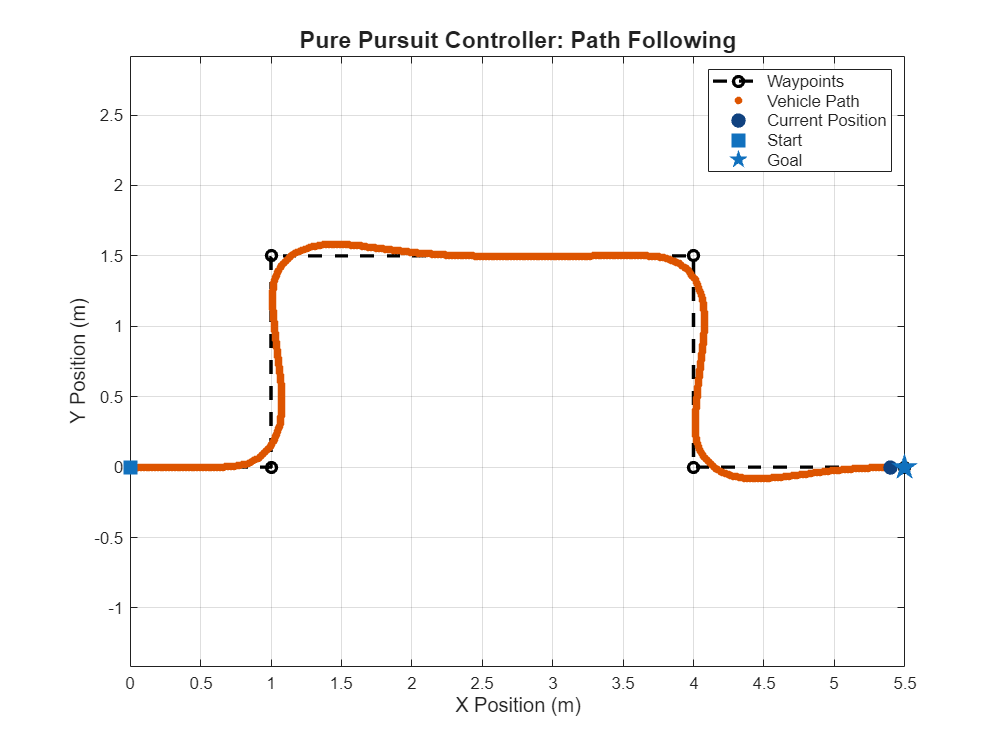
Follow Waypoints in Simulink Using Pure Pursuit Block
Guide a car-like vehicle along a series of waypoints in Simulink® using the Pure Pursuit block and the Bicycle Kinematic Model block.
The Bicycle Kinematic Model block simulates the simplified kinematics of a car-like vehicle.
Initialize Scenario
To create the path for the vehicle, specify a series of waypoints as an array of xy- coordinates. Specify a start pose and a goal pose for the vehicle.
waypoints = [0   0;
             1   0;
             1   1.5;
             4   1.5;
             4   0;
             5.5 0];

% Set start and goal poses as [x y theta].
% x and y are in meters, theta is heading in radians.
startPose = [0 0 0];
goalPose  = [5.5 0 0];
Define Vehicle Parameters
To control how the vehicle moves and turns, define the bicycle kinematic model parameters. Specifying the wheelbase, steering limits, and speed range determines the maneuverability and operating limits of the vehicle in the simulation.
wheelBase = 0.3;                                     % [m] Distance between the front and rear axles
maxSteeringAngle = pi/4;                             % [rad] Maximum steering angle (45 degrees)

% Calculate the minimum turning radius based on the steering limit.
minTurningRadius = wheelBase/tan(maxSteeringAngle);  % [m] Smallest possible turning radius

% Define the allowable speed range for the vehicle.
minSpeed = -0.1;                                     % [m/s] Minimum speed (reverse)
maxSpeed = 1.0;                                      % [m/s] Maximum speed (forward)
vehicleSpeedRange = [minSpeed maxSpeed];             % [m/s] Speed limits for simulation
Define Controller Parameters
To enable the vehicle to follow the waypoints, define the parameters for the pure pursuit controller. Specifying the desired velocity and lookahead time sets the target speed and determines how far ahead the controller anticipates the path when computing steering commands. To limit how sharply the vehicle can turn, specify a maximum curvature based on the minimum turning radius of the vehicle.
desiredVelocity = 0.2;                 % [m/s]
lookaheadTime   = 2.0;                 % [s]

maxCurvature = 1/minTurningRadius;     % [1/m]
Configure Simulink Model Parameters
Open the Simulink model.
open_system("FollowWaypointsUsingPurePursuit.slx")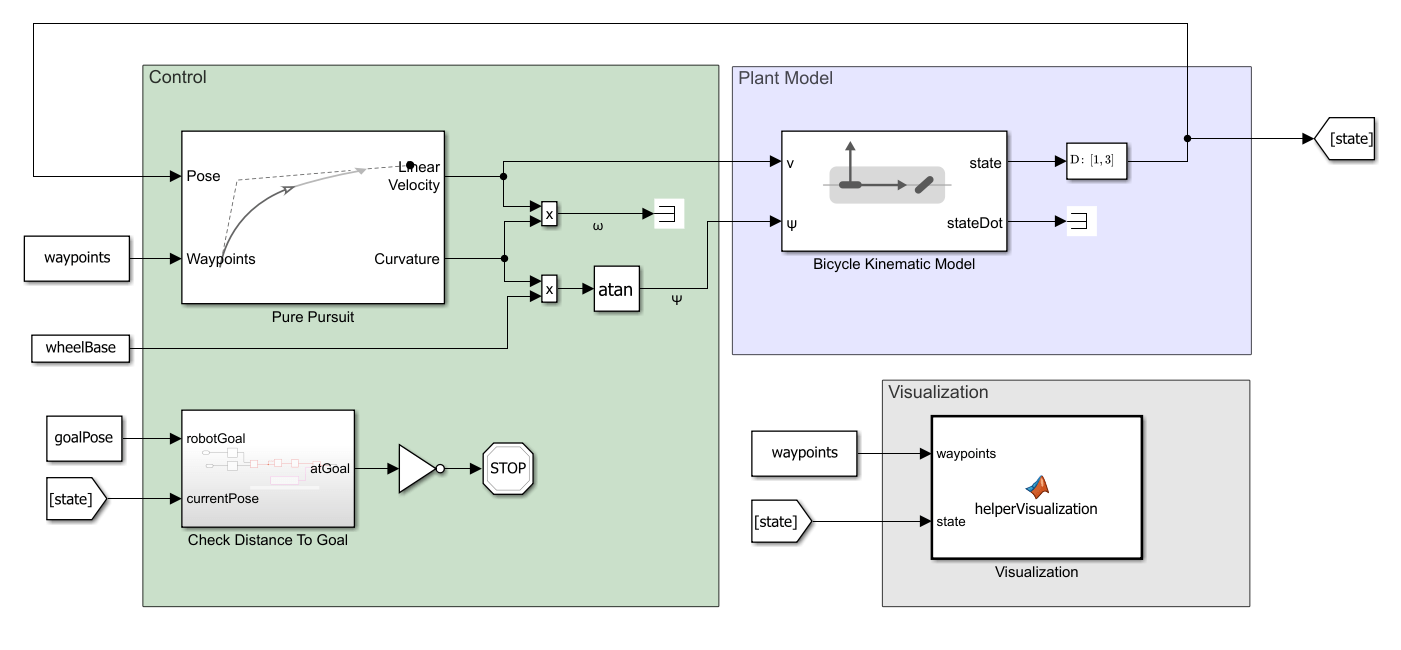
The Simulink model consists of these main components:
Plant ModelControlVisualization
Plant Model
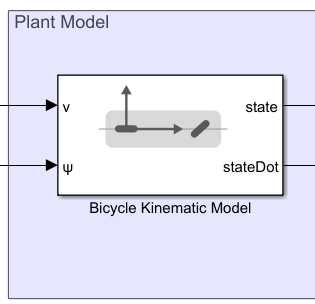
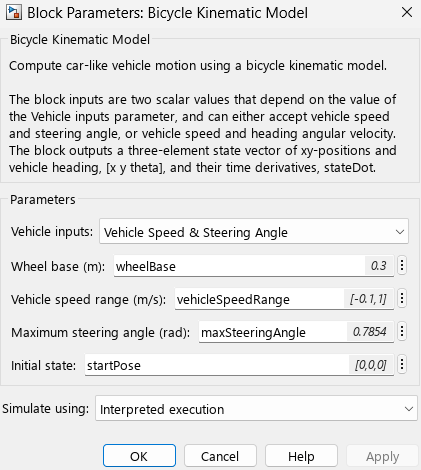
The Bicycle Kinematic Model block simulates the vehicle's motion based on bicycle kinematics. Open the block mask to verify that the block parameters reference the variables you created in the MATLAB® workspace.
Control
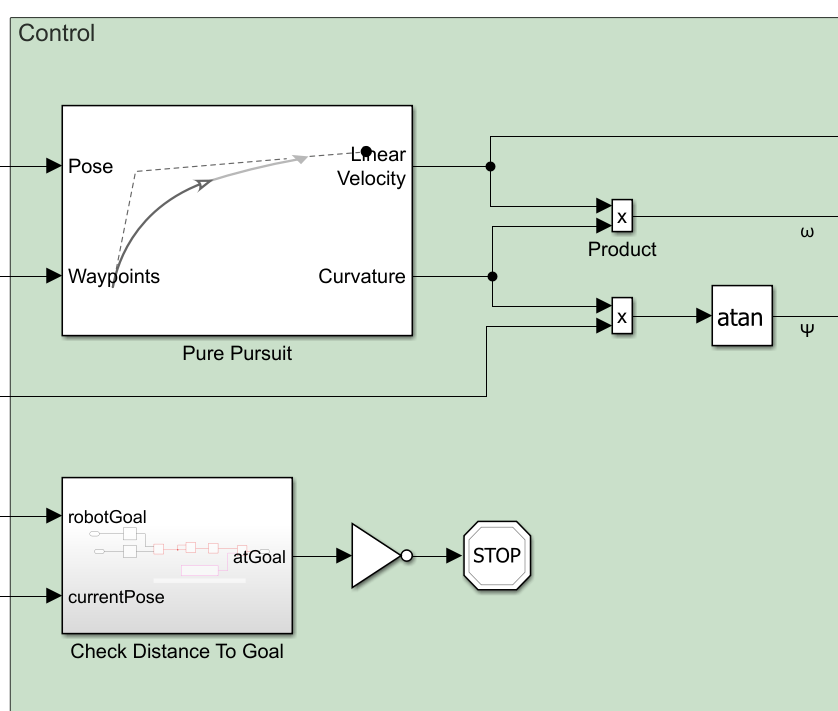
To guide the vehicle along the specified waypoints, the Pure Pursuit block generates steering commands. It receives the current vehicle Pose and the sequence of Waypoints as inputs, and outputs the Linear Velocity and path Curvature.
Flexible Use of Curvature
The Curvature output offers flexibility in how you control the vehicle. You can use it to compute either the angular velocity or the steering angle commands, depending on your application or actuator requirements:
ω = Curvature*LinearVelocity
Ψ = atan(Curvature*wheelBase)
This flexibility enables you to adapt the controller to different vehicle models or control architectures.
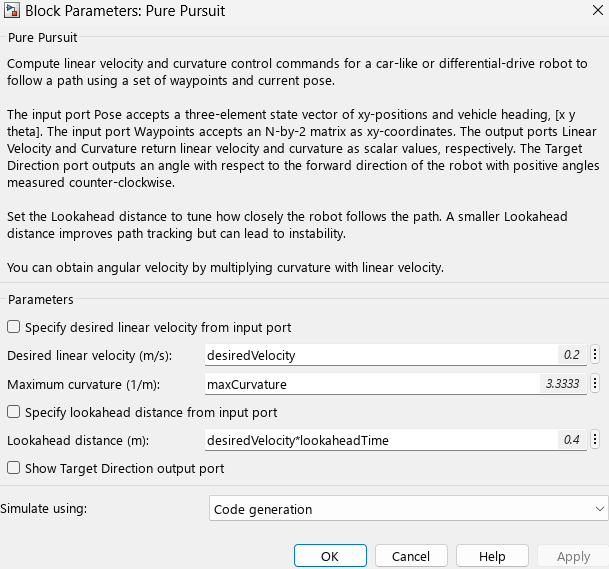
The Pure Pursuit block mask shows that the block uses the desiredVelocity and maxCurvature variables to specify its Desired linear velocity and Maximum curvature, respectively. Lookahead distance is the product of desiredVelocity and lookaheadTime.
Visualization
To monitor the progress of the vehicle and assess the performance of the controller during simulation, the Visualization block, a MATLAB Function block that references the helperVisualization helper function, displays the path of the vehicle, current position, and waypoints in real time.
Simulate Model and Review Results
sim("FollowWaypointsUsingPurePursuit.slx");