Generate HLS Code for MATLAB Value Classes
R2026bYou can generate HLS code from MATLAB® value classes. Use the Shape class and its subclasses
Square and Rhombus to generate HLS code for a
MATLAB value class. To view the generated HLS code open the code generation
report.
Generate HLS Code and Review Code Generation Report
Create a class structure in MATLAB with one value class Shape and two subclasses
Square and Rhombus of the value class.
Generate HLS code and code generation report using the codegen
command.
Create Class Hierarchy
In a writable folder, create a MATLAB value class named
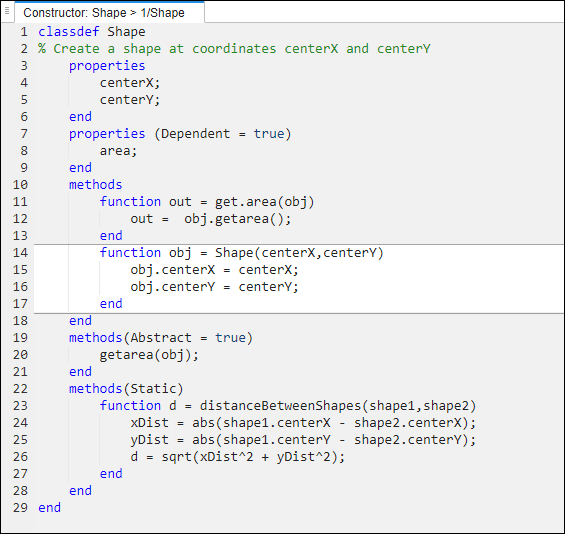
Shapeand save the code asShape.m.classdef Shape % Create a shape at coordinates centerX and centerY properties centerX; centerY; end properties (Dependent = true) area; end methods function out = get.area(obj) out = obj.getarea(); end function obj = Shape(centerX,centerY) obj.centerX = centerX; obj.centerY = centerY; end end methods(Abstract = true) getarea(obj); end methods(Static) function d = distanceBetweenShapes(shape1,shape2) xDist = abs(shape1.centerX - shape2.centerX); yDist = abs(shape1.centerY - shape2.centerY); d = sqrt(xDist^2 + yDist^2); end end end
Create a subclass of
ShapenamedSquarein the same folder. Save this code asSquare.m.classdef Square < Shape % Create a Square at coordinates center X and center Y % with sides of length of side properties side; end methods function obj = Square(side,centerX,centerY) obj@Shape(centerX,centerY); obj.side = side; end function Area = getarea(obj) Area = obj.side^2; end end end
Create another subclass of
ShapenamedRhombusand save it asRhombus.m.classdef Rhombus < Shape properties diag1; diag2; end methods function obj = Rhombus(diag1,diag2,centerX,centerY) obj@Shape(centerX,centerY); obj.diag1 = diag1; obj.diag2 = diag2; end function Area = getarea(obj) Area = 0.5*obj.diag1*obj.diag2; end end end
Generate HLS Code
Write a function use_shape that uses the
Shape, Square, and
Rhombus classes to demonstrate their
functionality.
function [TotalArea, Distance] =   use_shape
%#codegen
s = Square(2,1,2);
r = Rhombus(3,4,7,10);
TotalArea  = s.area + r.area;
Distance = Shape.distanceBetweenShapes(s,r);
Generate HLS Code for use_shape and generate a code
generation
report.
codegen -config:hls use_shape -reportView Code Report
Click the
View reportlink in thecodegenoutput to open the HDL Coder Report Viewer. In the MATLAB Source pane, locateRhombus.mand clickRhombusto highlight the constructor of theRhombusclass.Click the Variables tab. You see that the variable
objis an object of theRhombusclass. To see the properties ofobj, expandobj.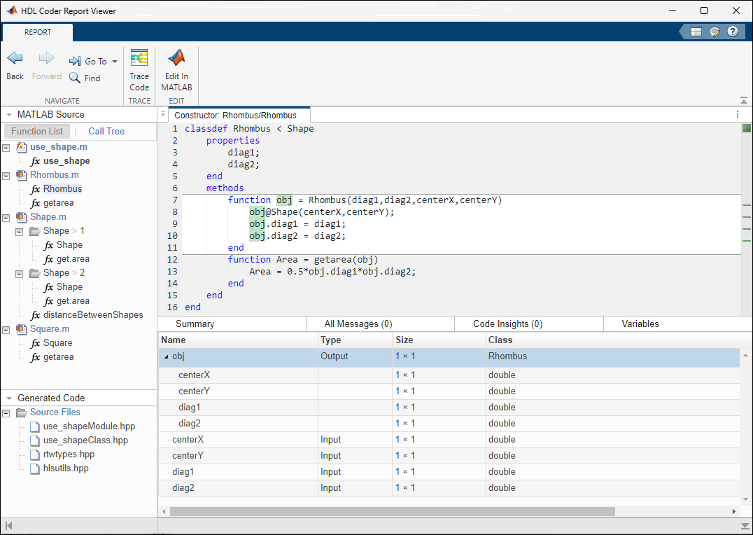
In the MATLAB Source pane, click Call Tree. The Call Tree view shows that
use_shapecalls theRhombusconstructor and that theRhombusconstructor calls theShapeconstructor.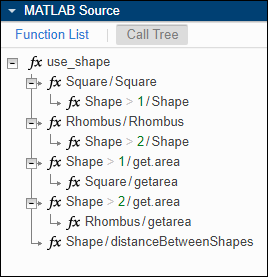
In the code pane, in the
Rhombusclass constructor, hover over this line:Theobj@Shape(centerX,centerY)Rhombusclass constructor calls theShapemethod of the baseShapeclass. To view theShapeclass definition, inobj@Shape, double-clickShape.