SPI Register Write
R2026bSPI Register Write block
To add a block to a model, double-click the canvas and start typing the block name. Then, select the block from the list.
Libraries:
NVIDIA Jetson and NVIDIA DRIVE /
Communication
Description
Add-On Required: This feature requires the MATLAB Coder Support Package for NVIDIA Jetson and NVIDIA DRIVE Platforms add-on.
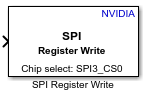
The SPI Register Write block writes data to a Serial Peripheral Interface (SPI) peripheral device connected to an NVIDIA® Jetson™ board.
Ports
Input
Data to write, specified as a scalar or vector.
Data Types: single | double | int8 | int16 | int32 | int64 | uint8 | uint16 | uint32 | uint64
Parameters
To edit block parameters interactively, use the Property Inspector. From the Simulink® Toolstrip, on the Simulation tab, in the Prepare gallery, select Property Inspector.
Hardware board to deploy the model to.
Programmatic Use
To set the block parameter value programmatically, use
the set_param (Simulink) function.
To get the block parameter value
programmatically, use the get_param (Simulink) function.
| Parameter: | Board |
| Values: | "NVIDIA Jetson TX2 Developer Kit" | "NVIDIA Jetson AGX Xavier Developer Kit" | "NVIDIA Jetson AGX Orin Developer Kit" | "NVIDIA Jetson Xavier NX Developer Kit" | "NVIDIA Jetson Orin Nano Developer Kit" | "NVIDIA Jetson Nano Developer Kit" |
Example: set_param(gcb,"Board","NVIDIA Jetson Orin Nano Developer
Kit")
Pin connected to the SPI peripheral device. The Board parameter setting determines the available settings, default value, and programmatic parameter name. This table shows the available settings for each board.
| Board Parameter Setting | Available Chip Select Pin Settings | Default Value | Programmatic Parameter Name |
|---|---|---|---|
|
| SPI0_CS0 | SSPin1SPI |
NVIDIA Jetson TX2 Developer Kit |
| SPI3_CS0 | SSPin1SPIMiscSpidev3 |
NVIDIA Jetson Orin Nano Developer
Kit |
| SPI1_CS0 | SSPin2SPI |
NVIDIA Jetson Nano Developer Kit |
| SPI1_CS0 | SSPin2SPI |
NVIDIA Jetson AGX Orin Developer
Kit |
| SPI0_CS0 | SSPin2SPIMiscSpidev0And2 |
NVIDIA Jetson Xavier NX Developer
Kit |
| SPI0_CS0 | SSPin2SPIMiscSpidev0And2 |
Programmatic Use
To set the block parameter value programmatically, use
the set_param (Simulink) function.
To get the block parameter value
programmatically, use the get_param (Simulink) function.
| Parameter: | SSPin1SPI |
| Values: | "SPI0_CS0" (default) | "SPI0_CS1" |
Example:
get_param(gcb,"SSPin1SPI")
| Parameter: | SSPin1SPIMiscSpidev3 |
| Values: | "SPI3_CS0" (default) | "SPI3_CS1" |
| Parameter: | SSPin2SPI |
| Values: | "SPI1_CS0" (default) | "SPI0_CS0" | "SPI0_CS1" | "SPI1_CS1" |
| Parameter: | SSPin2SPIMiscSpidev0And2 |
| Values: | "SPI0_CS0" (default) | "SPI0_CS1" | "SPI2_CS0" | "SPI2_CS1" |
Mode to use for SPI communication. This table shows the clock polarity and clock phase for each setting.
| Mode | Clock Polarity | Clock Phase |
|---|---|---|
0 | 0 | 0 |
1 | 0 | 1 |
2 | 1 | 0 |
3 | 1 | 1 |
Programmatic Use
To set the block parameter value programmatically, use
the set_param (Simulink) function.
To get the block parameter value
programmatically, use the get_param (Simulink) function.
| Parameter: | ClockMode |
| Values: | "0" (default) | "1" | "2" | "3" |
Example: set_param(gcb,"ClockMode","2")
SPI peripheral address to write to. Each value of the register address must be a nonnegative integer less than or equal to 255.
Programmatic Use
To set the block parameter value programmatically, use
the set_param (Simulink) function.
To get the block parameter value
programmatically, use the get_param (Simulink) function.
| Parameter: | RegisterAddress |
| Values: | "0" (default) | integer between 0 and 255 in quotes |
Example: set_param(gcb,"RegisterAddress","[1 2]")
Extended Capabilities
C/C++ Code Generation
Generate C and C++ code using Simulink® Coder™.
GPU Code Generation
Generate CUDA® code for NVIDIA® GPUs using GPU Coder™.
Version History
Introduced in R2026a
See Also
Blocks
Model Settings
MATLAB Command
You clicked a link that corresponds to this MATLAB command:
Run the command by entering it in the MATLAB Command Window. Web browsers do not support MATLAB commands.
Select a Web Site
Choose a web site to get translated content where available and see local events and offers. Based on your location, we recommend that you select: .
You can also select a web site from the following list
How to Get Best Site Performance
Select the China site (in Chinese or English) for best site performance. Other MathWorks country sites are not optimized for visits from your location.
Americas
- América Latina (Español)
- Canada (English)
- United States (English)
Europe
- Belgium (English)
- Denmark (English)
- Deutschland (Deutsch)
- España (Español)
- Finland (English)
- France (Français)
- Ireland (English)
- Italia (Italiano)
- Luxembourg (English)
- Netherlands (English)
- Norway (English)
- Österreich (Deutsch)
- Portugal (English)
- Sweden (English)
- Switzerland
- United Kingdom (English)